 Skip to content
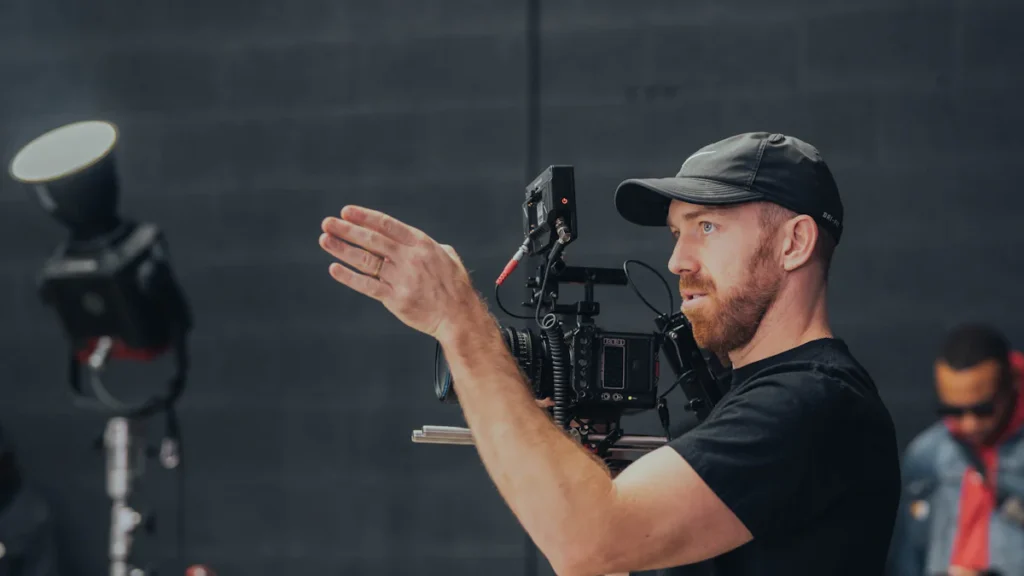
RED KOMODO vs. Sony’s FX3 is not a one-number camera comparison. The useful choice is the system that gets your crew from capture to delivery with the least avoidable friction. This 2026 refresh keeps the original comparison focused on that decision, distinguishes the original KOMODO 6K from KOMODO-X where it matters, and treats Sony FX5 as a separate lifecycle question rather than a reason to rewrite the matchup. It is a research-backed planning guide, not a lab test or a substitute for a rental, prep day, or current manufacturer documentation.
The short answer: choose the workflow, then the body
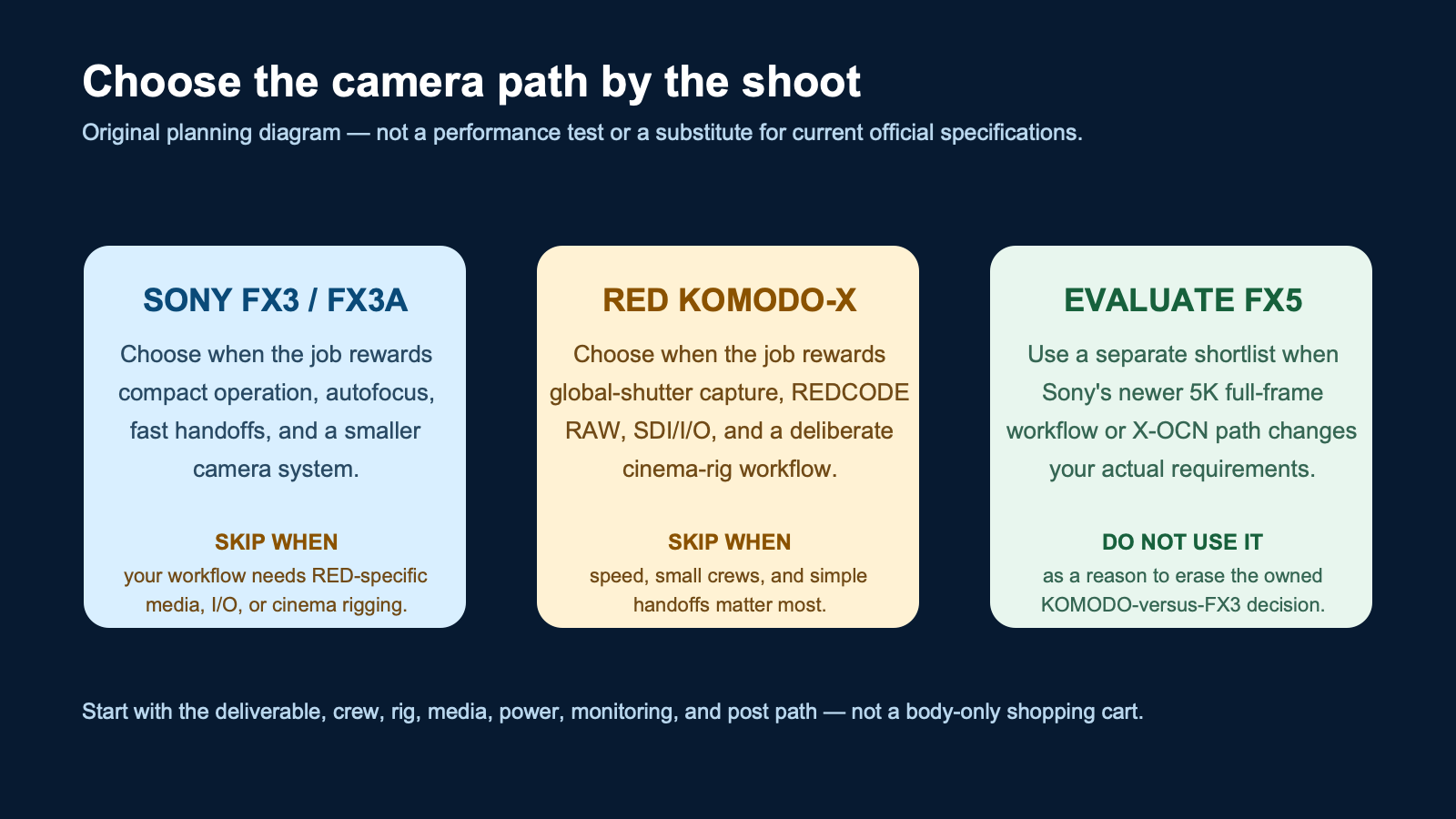
Choose an FX3 or FX3A when the job rewards a compact full-frame camera, autofocus, two card slots, quick handoffs, and a smaller operating footprint. Choose a RED-centered system when the deliverable and crew genuinely benefit from a deliberately built cinema rig, REDCODE RAW, SDI/I/O expectations, and the media, power, monitoring, and post workflow that go with it. Neither answer is “better” in the abstract.
The most expensive mistake is buying the body that sounds most capable and discovering that the media, monitoring, power, lens adaptation, crew, insurance, or post handoff does not match the job. Start with the production day you need to run.
First, separate the original KOMODO 6K from KOMODO-X
“KOMODO” can describe two different purchasing situations. The original KOMODO 6K remains relevant when a crew already owns it, rents it, or is evaluating a used package. Do not borrow a KOMODO-X feature list, price, firmware behavior, or accessory assumption and apply it to the original body. Check the serial-specific package, media, power solution, mounts, and current RED documentation before committing a production to it.
For a current RED-side workflow reference, this guide uses the official KOMODO-X technical specifications. RED identifies KOMODO-X as a Super 35 global-shutter camera with REDCODE RAW, locking RF, CFexpress Type B, Micro V-Lock, and 12G-SDI. Those are workflow inputs, not a blanket recommendation for every client shoot. For an original KOMODO 6K package, use RED’s original KOMODO operation guide before finalizing a rental or purchase list.
Choose Sony’s FX3 or FX3A when the job rewards compact operation
The FX3/FX3A path is compelling when one operator or a small team needs to move quickly between setup, capture, backup, and client delivery. Sony’s current FX3A specifications list a full-frame sensor, Fast Hybrid AF, two CFexpress Type A/SD media slots, and the supplied XLR handle. That does not make it the automatic low-light or autofocus winner for every scene; it makes the body easier to evaluate against a compact, fast-turnaround brief.
Product decision: Sony’s FX3A
Buy or shortlist it when: compact operation, autofocus, familiar SD/CFexpress Type A media, and a fast handoff are more valuable than building a RED-centered rig. Skip it when: the project truly needs the RED workflow, dedicated cinema-rig I/O, or the post latitude your team has specified.
Check the reviewed FX3A destination on Amazon (verify the exact listed variant, availability, and seller terms before buying). Read the official FX3A specifications for the source record.
Reader-supported disclosure: Nitro may earn from qualifying purchases through the tagged Amazon FX3A link. RED and Sony official links are included for specifications and currentness; no price or availability is claimed.
Choose a RED-centered path when the cinema workflow is the requirement
A RED choice should begin with a production requirement, not a desire to own a more elaborate camera body. The camera needs a supportable path for lenses, media, power, monitoring, crew roles, DIT or post handoff, and a schedule that can absorb the prep. If global-shutter capture, REDCODE RAW, 12G-SDI, or a purpose-built cinema rig is a real deliverable requirement, KOMODO-X belongs on the shortlist. If those are only aspirational features, an FX3/FX3A system may be the better production decision.
Product decision: RED KOMODO-X
Buy or shortlist it when: a producer, DP, post team, or client requirement supports the REDCODE RAW and rigged-camera workflow. Skip it when: your priority is a small crew, rapid run-and-gun setup, simple media management, or a lightweight handoff.
Use RED’s official KOMODO-X technical specification as the fact source. No direct tagged retailer destination was verified for this refresh, so do not infer a current price or availability from this guide.
Budget the working system, not just the camera body
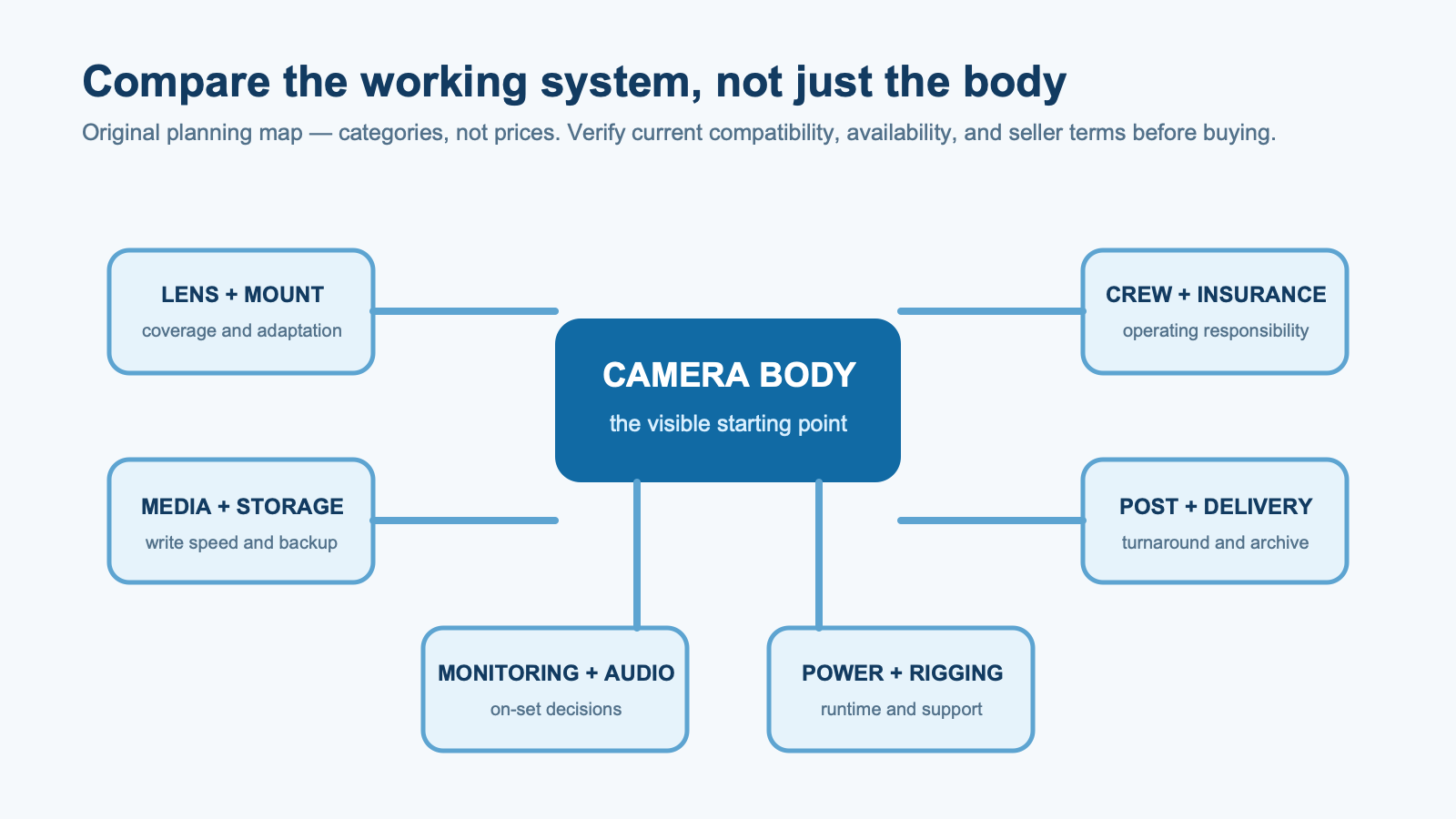
Two cameras can produce a usable image and still create very different operating costs. Make one pre-purchase list for the complete working system. Include lenses or mount adaptation, recording media and backups, monitor and audio needs, power, rigging, insurance, crew responsibilities, ingestion, storage, color, editorial, and client delivery. Then compare the list against the recurring shoots you actually expect to take.
This is also where “cheaper” bodies can become expensive. A body-only budget ignores the equipment and time that turn it into a reliable production tool. A more involved rig can be the right answer when the project earns it; it is a poor answer when the crew needs speed and a clean handoff more than additional setup.
The media, power, and handoff test
Ask three plain questions before choosing. First: can the operating crew buy, label, offload, and back up the required media without improvising? Second: can the power and rigging package run for the day without creating a fragile setup? Third: can post open, organize, review, and deliver the material on the deadline? If a camera fails any of those questions, it is not a fit just because its spec sheet is attractive.
For an event, commercial, or interview team, build the comparison around the operator who has to make the next setup on time. If you need a broader production partner rather than another camera purchase, see Nitro’s commercial video production services or contact the team with the deliverable, crew size, location, and delivery schedule.
Does Sony FX5 change this comparison?
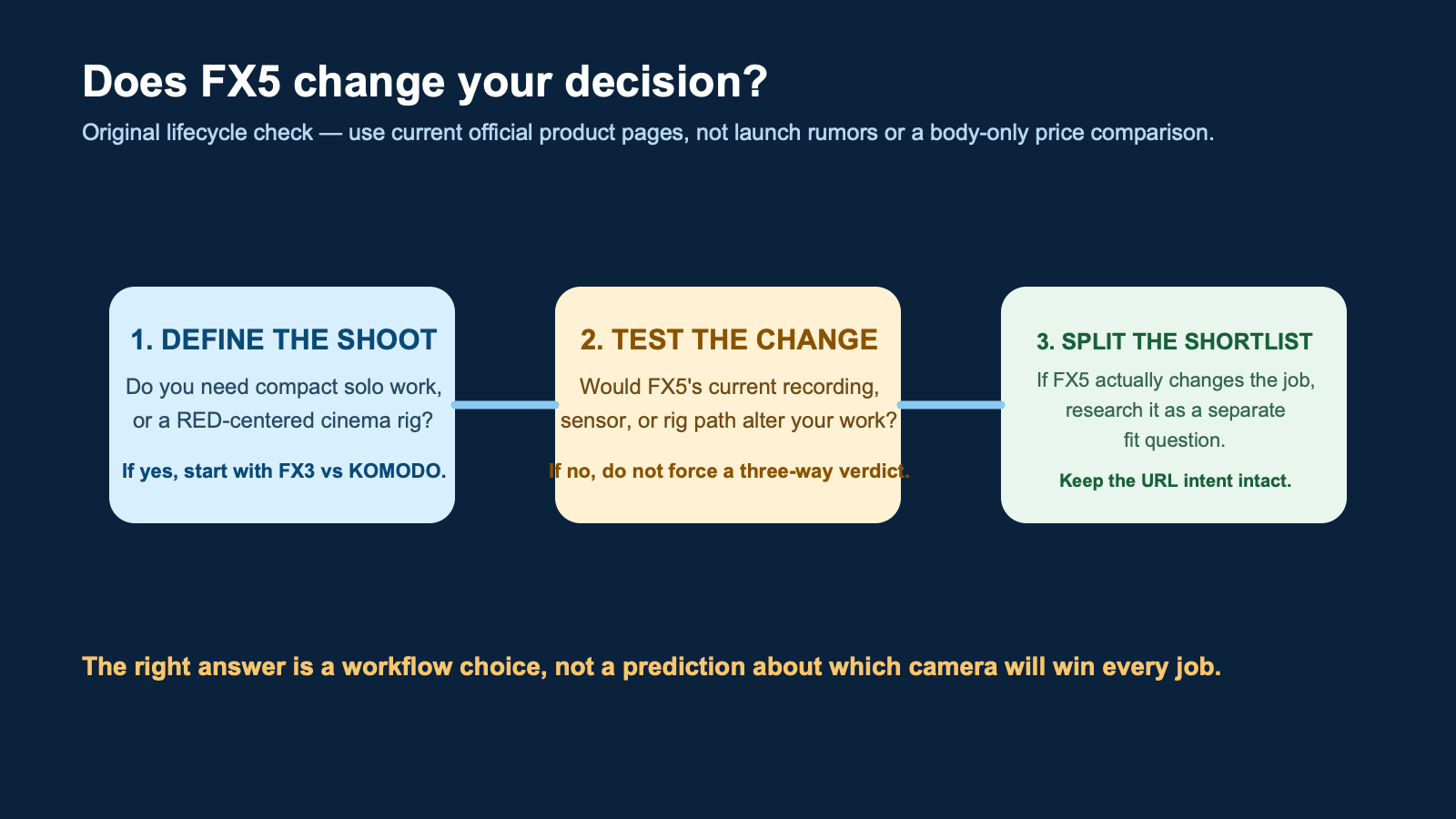
Only sometimes. Sony currently describes FX5 as a 5K full-frame stacked Exmor RS camera with BIONZ XR2 and an Open Gate mode available in X-OCN. Those details can create a legitimate new shortlist for a buyer whose recording, sensor, or rig requirements have changed. They do not turn the existing RED KOMODO-versus-FX3 question into a mandatory three-way verdict, and future firmware rumors are not a buying requirement.
Product decision: Sony FX5
Buy or shortlist it when: its current recording path, sensor, and rig requirements solve a brief that neither your FX3/FX3A nor your RED option addresses. Skip it when: you are using a newer model name to avoid deciding whether the original compact-versus-cinema workflow is the better fit.
Read Sony’s official FX5 product page for current configuration details. No direct tagged retailer destination was verified for this refresh, so this guide makes no availability or price claim.
Match the camera to the production day
A compact corporate interview day and a controlled commercial shoot can have the same final resolution requirement and still need different systems. On a small interview, doc-style, social, or event crew, the useful question is whether one operator can set up, frame, focus, record, verify sound, make a backup, and move to the next location without creating a bottleneck. That leans toward the FX3/FX3A path when its documented media, autofocus, and compact form solve the job.
On a narrative, effects-sensitive, studio, or carefully managed commercial day, the question may be whether the planned crew, lenses, monitoring, media, power, and post team are already structured for the RED workflow. That can justify a RED-centered package. It does not mean a smaller camera cannot make a strong image; it means the whole team has agreed that the additional workflow is earning its place.
There is a middle ground too. A production can rent a more involved camera for the scenes that need it and use a smaller system for interviews, gimbal coverage, pickups, or rapid client social assets. Make that division in the shot list and call sheet instead of forcing one body to be everything. The body decision becomes clearer once you list the scenes, crew positions, lenses, sound plan, delivery formats, and turnaround time.
Run a prep test before the client day
Do not make the first media, power, or post test in front of a client. Load the exact lenses, cards, batteries, monitor, audio accessories, and support equipment that will travel. Record a short sample that resembles the highest-risk shot. Offload it with the intended card reader, create the backup, open it in the intended post environment, and make a small review export. This is where a practical mismatch becomes visible while it is still cheap to fix.
For an FX3/FX3A system, test the settings and card choice you plan to use, confirm the XLR handle and audio routing if applicable, and time a normal backup. For a RED-centered system, test the chosen recording format, media handling, power approach, monitor or SDI path, and the person responsible for data. The point is not to prove a winner. It is to prove that the selected system can complete your specific handoff.
Ask the post lead what they need at the end of the day: original media, proxies, color notes, audio, checksum reports, project organization, or a reviewable export. Ask the client what “delivery” actually means. A same-day clip, a multi-camera interview, a set of social edits, and a master for color all create different priorities. Recording more data than the team can reliably manage is not added production value.
A purchase checklist that prevents the wrong comparison
- List the recurring shoot: What must the camera do most weeks, not just on an aspirational future job?
- Specify the handoff: Who receives the media, what format do they expect, and how quickly must they work?
- Price the complete kit: Include the items that make the body reliable, not only the checkout price.
- Test the highest-risk setup: Lens, media, power, audio, monitoring, and ingest should all work together before the client day.
- Keep a rental option: A specialized camera can be a better project expense than a permanent system that sits unused.
Use this same checklist when evaluating a used original KOMODO package. A lower entry price is not a complete comparison if the package lacks the accessories, media, battery solution, service confidence, or post support required for paid work. Conversely, do not write off a used or rental option without checking the exact configuration and current documentation. The production plan—not a headline spec—sets the value.
How the camera choices differ in practice
| Decision point | FX3 / FX3A path | RED-centered path |
|---|---|---|
| Operating goal | Compact, fast-moving production with a smaller kit. | Deliberate cinema workflow built around a more involved rig. |
| Media and handoff | Plan around the FX3A’s two CFexpress Type A/SD slots and your backup process. | Plan the RED-specific media, post format, and backup workflow before the shoot. |
| Rigging | Start with the smallest dependable package, then add only what the job needs. | Budget power, monitoring, support, and operator time as core parts of the system. |
| Best reason to choose | The crew needs speed, compact operation, autofocus, and quick delivery. | The deliverable requires the specific RAW, global-shutter, I/O, and cinema-rig path. |
That table is intentionally not a scorecard. Specs age, accessories change, and a rental package can alter the practical answer. Check current manufacturer documentation, test the lenses and media you will actually use, and make the decision with the person who owns the post-delivery risk.
Verdict: choose by shoot, workflow, and total rig cost
Pick the FX3/FX3A route when it removes friction from a compact production day. Pick a RED-centered route when the project has a defined reason to carry the cinema workflow all the way through post. Consider FX5 only if its current capabilities materially alter the brief. Do not let a body-only comparison disguise the real costs of media, power, monitoring, crew, and delivery.
For adjacent Cinema Line context, compare this decision with Nitro’s Sony FX6 versus cinema cameras guide and Sony FX2 workflow overview. Those pages are supplementary; the right production decision still starts with the shoot in front of you.


