 Skip to content

2026 refresh note: the Prime Day dates referenced in the older pass are now in the rearview. Treat this as a current real estate video kit guide, not a one-week promo page. Price-check the gear live, watch for verified discounts, and buy the pieces that solve actual listing work first.
Starter Kit vs Paid-Work Kit
A starter real estate video kit should make clean walkthroughs, vertical reels, simple exterior clips, and usable audio possible without turning every listing into a cinema set. A paid-work kit needs more reliability: better stabilization, backup audio, drone compliance, clean storage, batteries, lighting control, and a 3D/virtual-tour path when the property needs it. That is why DJI RS 4 Mini, DJI Air 3S Fly More Combo, and DJI Mic 2 are useful kit anchors. They solve different parts of the job instead of all pretending to be the hero purchase.
| Kit layer | What to buy first | Why |
|---|---|---|
| Walkthrough movement | DJI RS 4 Mini | Smooth interior moves, detail passes, vertical clips, and small-camera workflow. |
| Aerial/video exterior | DJI Air 3S Fly More Combo | Dual-camera drone perspective, stronger listing context, and useful exterior coverage when legal and safe. |
| Agent voice / walkthrough audio | DJI Mic 2 | Cleaner narration, agent intro clips, and interview snippets without relying on camera mics. |
| 3D tour lane | Matterport Pro3 or Zillow 3D Home path | Use the platform that matches the listing, budget, and client expectations. |
| Delivery workflow | Fast cards, SSDs, batteries, and backup system | Real estate work dies fast when files, batteries, or turnaround become chaos. |
Drone Compliance Before You Sell Aerials
Drone work is not just a camera angle. If you are selling aerials in the U.S., check FAA Part 107, airspace, Remote ID, property permission, weather, launch/landing safety, and whether the home is near an airport, stadium, event, military area, or other restriction. DJI Air 3S Fly More Combo can be a strong real estate drone, but the legal workflow matters as much as the camera. A gorgeous aerial shot is not worth creating a compliance mess over a listing that needed three good exterior angles.
| Drone check | What to confirm | Why it matters |
|---|---|---|
| Part 107/commercial use | Pilot certification and operating context. | Paid listing media is commercial work. |
| Remote ID | Aircraft compliance and operating requirements. | Remote ID is part of current U.S. drone operations. |
| Airspace | Controlled airspace, LAANC, local restrictions, temporary restrictions. | Some addresses are not simple fly-and-go jobs. |
| Property safety | Launch spot, people, cars, trees, wires, wind, pets, and neighbors. | A good shot is not worth a bad incident. |
| Client expectation | How many aerial shots, what angles, what delivery format. | Do not sell a drone package without a deliverable plan. |
3D Tours: Matterport vs Zillow 3D Home
Do not force every listing into the same 3D path. Matterport Pro3 is a stronger premium/commercial/large-property lane. Zillow 3D Home can be a faster and more accessible lane for standard residential listings. The right choice depends on listing value, agent budget, platform priority, turnaround, and whether the tour needs to impress or simply inform. The worst version is selling 3D because it sounds fancy and then delivering something that adds no decision value.
What To Buy First
If the budget is tight, buy in this order: stable camera/gimbal workflow, clean drone path if you are legally set up, audio for agent-led clips, lighting only when the homes you shoot need it, then storage and backup like a person who has learned from pain. Do not haul a cinema truck through a kitchen just because YouTube convinced you every listing needs fourteen cases. Real estate clients want clean, fast, trustworthy media that helps the property move.
Check DJI RS 4 Mini PriceCheck DJI Air 3S Fly More Combo PriceCheck DJI Mic 2 Price
Sources Checked For This Refresh
| Source | Why it matters |
|---|---|
| DJI RS 4 Mini | Current gimbal feature source. |
| DJI Air 3S specs | Current drone camera/spec source. |
| FAA Part 107 | Commercial drone pilot context. |
| FAA Remote ID | Current Remote ID reference. |
| Matterport Pro3 | Current 3D tour hardware context. |
| Zillow 3D Home | Current residential 3D tour platform context. |
Currentness note: This refresh is written for 2026 buying intent. Gear availability, bundles, platform compatibility, and drone rules can change, so re-check current pricing, FAA guidance, Matterport/Zillow compatibility, and manufacturer specs before publishing.
Prime Day 2026 watch: Amazon has posted the official June 23-26 dates, so we are tracking creator and video gear here: Prime Day 2026 creator and video gear guide.
Reader-supported disclosure: This gear guide is reader-supported. As an Amazon Associate, Nitro Media Group may earn from qualifying purchases when you use the Amazon links below. Manufacturer links are included for specs, compatibility, and currentness checks.
Straight up: real estate videography gear should make the house look better, not make you look like you are moving a small film studio through someone else’s kitchen.
Real estate videography equipment should help you move fast, show the property clearly, and deliver clean media without overbuilding a cinema rig. A practical kit starts with a camera, a wide lens, a stable walking setup, basic lighting, and reliable audio. From there, drones, 360 cameras, and 3D tour tools depend on the market you serve.
The best setup in 2026 is not the most expensive setup. It is the setup that lets you capture interiors, exteriors, agent intros, detail shots, vertical social clips, and aerials consistently. If you are shooting commercial drone work in the United States, you also need to account for FAA Part 107, registration, Remote ID, airspace authorization, and local restrictions before offering aerial video as a paid service. Boring? Yes. Cheaper than explaining to a client why the drone shot is illegal? Also yes.
For agents, brokers, builders, and property teams who want the finished video without buying the kit, Nitro Media Group can capture real estate video, drone media, and listing content as a complete package.
Best Real Estate Videography Gear by Budget
| Budget level | Best fit | Core kit | Buy first |
|---|---|---|---|
| Starter | Agents, solo creators, and lean listing packages | Mirrorless or strong hybrid camera, wide lens, compact gimbal, basic LED, simple wireless mic | Wide lens, stabilization, batteries, memory, and clean audio |
| Working pro | Listing media teams and repeat property video work | Full-frame or APS-C camera, wide zoom, DJI RS-style gimbal, drone, wireless lav system, portable lights | Reliable workflow, backup audio, drone compliance, and repeatable shot list |
| Luxury listing | Premium homes, builders, acreage, and commercial properties | Higher-end camera, drone with strong imaging, 360/3D tour system, stronger audio, backup lighting | Consistency, color control, twilight capability, and client review workflow |
| Fast social kit | Reels, TikTok, Shorts, and quick listing teasers | Stabilized camera or phone rig, compact wireless mic, small LED, vertical workflow | Speed, simple edits, and clean vertical framing |
Verified Product Images And Buy Links
These are exact product-detail destinations, not Amazon search pages. Use the cards to compare the specific units, then verify the live Amazon price, seller, bundle contents, return window, and compatibility before buying.

DJI RS 4 Mini
$309 observed on Amazon at refresh checkCompact gimbal for lightweight mirrorless real estate walkthroughs.
View DJI RS 4 Mini on Amazon
DJI Air 3S Fly More Combo
$1,599 observed on Amazon at refresh checkAerial kit to compare for property exteriors, acreage, and neighborhood context.
View DJI Air 3S Fly More Combo on Amazon
DJI Mic 2
$199 observed on Amazon at refresh checkPractical wireless audio kit for agent intros, walkthrough narration, and client comments.
View DJI Mic 2 on Amazon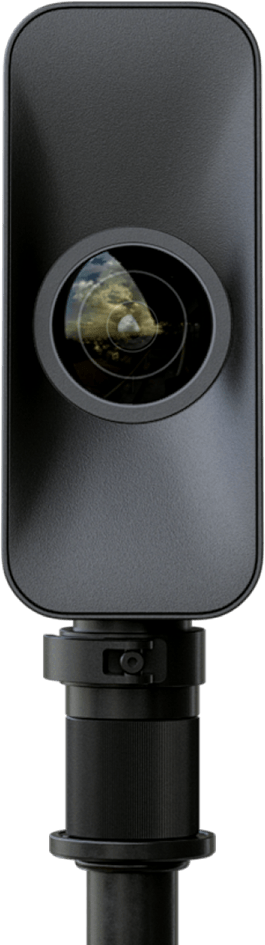
Matterport Pro3
Verify current Matterport package and platform costs3D capture system for deeper virtual-tour work. No verified direct Amazon product page was used.
Check Matterport Pro3 detailsWhat You Actually Need First
If you are building a real estate video kit from scratch, buy for the shoot you repeat every week, not the fantasy shoot where Architectural Digest calls and asks you to bring a cinema truck. Most property work needs wide interior coverage, stable walkthrough movement, exterior detail shots, quick agent intros, and a few vertical clips for social. A camera body matters, but the bigger wins usually come from lens choice, stabilization, exposure control, audio, and an efficient editing workflow.
- Camera: Choose a body that gives clean 4K, reliable color, enough dynamic range for window-heavy rooms, and files your computer can edit quickly.
- Lens: Start with one reliable wide lens before buying specialty glass.
- Stabilization: A gimbal or stabilized camera workflow makes walkthroughs easier to watch.
- Lighting: Small LEDs help with dark rooms, agent intros, and details, but they should not slow the shoot down.
- Audio: Wireless lavs or a compact wireless mic system matter any time an agent, builder, or homeowner speaks on camera.
- Drone: Add aerials only when there is demand and you can fly legally.
- 360 or 3D tours: Add this when clients ask for remote-viewing assets, not just because the gear is interesting.
Camera and Lens Setup for Interior Walkthroughs
For most property walkthroughs, lens choice matters more than chasing the most cinematic camera body. A clean wide-angle lens, good stabilization, and controlled movement will make more difference than upgrading to a heavier camera that slows down the shoot. Prioritize dynamic range, reliable autofocus or a focus workflow you can repeat, battery life, and a codec your editing system can handle quickly.
A full-frame camera can help in mixed light and tighter rooms, but APS-C and Micro Four Thirds setups can still work well when paired with the right lens and exposure discipline. For interiors, a wide zoom is usually more practical than a bag full of primes. It lets you move through a house quickly, frame small rooms honestly, and capture larger spaces without constantly changing lenses.
| Camera setup | Where it fits | What to watch |
|---|---|---|
| Hybrid mirrorless body | Most real estate video, agent content, and social clips | Battery life, overheating behavior, rolling shutter, and lens ecosystem |
| Full-frame mirrorless body | Premium listings, low-light interiors, and heavier commercial work | Lens cost, file sizes, and whether the rig becomes too slow for routine shoots |
| Stabilized compact camera or phone rig | Fast vertical clips, behind-the-scenes, and simple walkthroughs | Dynamic range, audio, and consistency across rooms |
| Cinema camera | Commercial property films and higher-end brand pieces | Rigging time, focus workflow, turnaround speed, and whether the client budget supports it |
Best Lens Range for Real Estate Video
Wide-angle lenses help show small rooms, hallways, kitchens, bathrooms, and open living areas without needing to back into a corner. For many shooters, a wide zoom around the 14-35mm or 16-35mm full-frame equivalent range is the practical starting point. Go too wide and rooms can look warped. Stay too tight and the viewer loses the sense of layout.
For detail shots, exterior compression, and lifestyle clips, a standard zoom or short telephoto can be useful. But do not buy multiple specialty lenses before you own one dependable wide lens. Real estate clients usually care more about clear room flow than cinematic lens variety.
Stabilization: Gimbals, Tripods, and Sliders
Stabilization is where real estate videos start to feel professional. Shaky footage makes rooms harder to understand and can make a simple listing video feel rushed. A gimbal is the most useful stabilizer for walkthroughs because it lets you move through halls, doorways, kitchens, and outdoor spaces with controlled motion.
DJI’s current RS-style gimbals are worth checking when you need a compact walking rig; the DJI RS 4 Mini specs are a useful reference point for payload, size, and camera compatibility. Match the gimbal to the camera and lens you actually use, not the heaviest rig you might build someday.
| Tool | Best use | Not ideal for |
|---|---|---|
| Gimbal | Interior walkthroughs, entry reveals, exterior movement, social clips | Very fast shoots where setup time beats motion |
| Tripod | Agent intros, static room shots, interviews, twilight exteriors | Full walkthroughs unless paired with another movement tool |
| Slider | Detail shots, premium interiors, controlled product-style motion | High-volume listing days where every minute matters |
| Stabilized pocket camera or phone rig | Quick vertical clips and simple tours | Premium work where dynamic range and lens control matter |
Lighting Equipment for Real Estate Videography
Lighting for real estate should be practical. You are usually not building a film set. You are balancing existing light, window exposure, and mixed interior bulbs while moving through the property efficiently. Small LED panels, compact COB lights, and soft modifiers are useful for agent intros, dark corners, kitchens, bathrooms, and detail shots.
- Small LED panels: Good for fast room accents, bathrooms, closets, and quick fill.
- Softbox or lantern setups: Better for agent intros, testimonial-style clips, and controlled room scenes.
- Color control: Helpful when rooms mix daylight, warm bulbs, and overhead fixtures.
- Practical habit: Set white balance intentionally instead of relying on auto white balance across mixed lighting.
Lighting should improve the video without turning the appointment into a long production day. If the package is fast and affordable, keep the light kit lean. If the property is luxury, commercial, or brand-focused, add more control. The goal is “this room feels clean and intentional,” not “why is there a softbox in the pantry?”
Audio Equipment for Real Estate Video
Do not skip audio if anyone speaks on camera. A beautiful listing video can still feel amateur if the agent intro, builder walkthrough, or client testimonial sounds thin, windy, or distant. For most real estate shoots, a compact wireless lav system is the easiest way to record clear voice while keeping the shoot moving.
For agent intros, clip a lav or wireless transmitter where it will not rub against clothing. For walkthrough narration, monitor the recording when possible and capture a short test before the real take. For ambient property sound, a small shotgun mic can help, but voice should still get priority when the video depends on spoken information.
- Wireless lav system: Best for agent intros, builder walkthroughs, client comments, and listing explainers.
- Shotgun mic: Useful for controlled voice pickup, room tone, exterior sound, and backup capture.
- Headphones: Important for catching clothing rustle, wind, interference, and dead batteries before the shoot is over.
- Backup recording: Valuable on paid work because wireless dropouts can ruin otherwise good footage.
Need a deeper audio-specific buying guide? See Nitro’s wireless microphone refresh: best wireless microphones for video creators.
Best Drone for Real Estate Video in 2026
Drone footage is useful for showing lot size, neighborhood context, exterior features, acreage, waterfront access, and commercial property scale. It is not required for every listing, but it can make a property easier to understand when the land, exterior, or surrounding area is part of the value.
For working real estate video, look for a drone with strong imaging, dependable battery life, obstacle awareness, stable transmission, and a controller workflow you trust. DJI’s Air 3S specs are a good current reference point for a dual-camera real estate-friendly drone class, including wide and medium tele options, 4K recording modes, and long listed flight time under controlled conditions.
FAA Part 107 and Remote ID for Real Estate Drone Work
If you fly drones for paid real estate work in the United States, treat compliance as part of the kit. The FAA says small drones under 55 pounds can be flown for work or business by following Part 107 rules. Operators should also check aircraft registration, airspace authorization, Remote ID requirements, and local restrictions before the shoot.
- Review the FAA’s commercial drone operator guidance.
- Confirm whether the drone, broadcast module, or flight area meets Remote ID requirements.
- Check controlled airspace and local restrictions before you promise aerial footage.
- Do not assume a drone is legal for paid work just because it is easy to buy.
For clients who want aerial coverage without managing the legal and operational side, Nitro offers drone video and photo services as part of broader real estate and commercial media packages.
360 Tours: Zillow 3D Home, Matterport, and Camera Compatibility
Real estate clients may ask for a video walkthrough, a 3D tour, or both. Matterport-style tours help remote buyers explore a space, while Zillow 3D Home and compatible 360 camera workflows can be useful for listings that need a lighter-weight option. Check platform compatibility before buying gear because supported camera lists and workflows can change.
For higher-end capture, review Matterport Pro3 and Matterport’s real estate use cases. For lighter listing workflows, review the Zillow 3D Home FAQ before you buy a camera specifically for that platform.
| Tour type | Best fit | Before buying |
|---|---|---|
| Video walkthrough | Most listings, social clips, agent branding, builder updates | Confirm camera, lens, gimbal, audio, and editing workflow |
| 3D tour | Remote buyers, relocation clients, rentals, commercial spaces | Check platform fees, capture time, and supported cameras |
| 360 listing add-on | Budget-conscious listings that still need virtual exploration | Verify current compatibility with Zillow, Matterport, or the target platform |
Essential Accessories That Save Shoots
Accessories are not exciting until something goes wrong. Then they suddenly become the whole shoot. The right small items keep a real estate shoot from slowing down or failing in the field.
- Extra batteries and chargers: Bring enough for camera, drone, gimbal, lights, mics, and phone.
- Fast memory cards: Use cards that match the camera’s recording modes and keep backups in the bag.
- ND filters: Useful for exterior work, drone footage, and consistent shutter speed.
- Lens cloths and blower: Real estate shoots move through dusty homes, yards, and construction spaces.
- Small tool kit: Include hex keys, mounting plates, tape, clamps, and spare cables.
- Release forms and shot list: Keep client expectations clear before the shoot starts.
What Not To Buy First
This is the gear trap section. Everyone loves buying the shiny thing. The boring thing is usually what actually saves the shoot.
- Do not buy a heavy cinema camera before you know your turnaround workflow.
- Do not buy a drone package before confirming legal requirements and client demand.
- Do not buy multiple specialty lenses before owning one reliable wide lens.
- Do not skip audio if agents, builders, or homeowners will speak on camera.
- Do not rely on auto white balance across mixed interior lighting.
- Do not buy 3D tour gear until you know which platforms your clients actually request.
Real Estate Videography Kit Checklist
| Category | Starter kit | Working pro upgrade |
|---|---|---|
| Camera | Hybrid camera or strong stabilized phone/camera workflow | Mirrorless body with clean 4K, dynamic range, and reliable lenses |
| Lens | Wide lens or wide zoom | Wide zoom plus standard zoom for details and exteriors |
| Movement | Compact gimbal or stabilized camera | Gimbal, tripod, and occasional slider |
| Lighting | Small LED panel | Portable LED kit with soft modifier and color control |
| Audio | Simple wireless mic | Wireless lav kit with backup recording and monitoring |
| Drone | Only after legal and client demand checks | Drone with strong imaging, Remote ID readiness, and repeatable flight workflow |
| 360/3D | Skip until requested | Matterport/Zillow-compatible system after platform checks |
Should You Buy the Gear or Hire a Real Estate Video Team?
If you shoot listings every week, owning a lean kit can make sense. If you only need polished listing media occasionally, hiring a team may be cleaner than buying cameras, lenses, mics, lights, drones, 3D tools, software, insurance, and storage. The hidden cost is not just the gear. It is the time spent learning, shooting, editing, backing up, and delivering consistent results.
Nitro Media Group can support real estate media, commercial video, drone coverage, social cutdowns, and listing content. If you want help deciding whether to build a kit or outsource the media, contact Nitro and we can help price the practical path.
Final Word
Buy the kit that keeps you moving, keeps the image clean, and keeps the client happy. Everything else is just gear-lust wearing a tactical vest.
FAQ
What camera is best for real estate videography?
The best camera is one that captures clean 4K, handles high-contrast interiors, works with a wide lens, and does not slow down the shoot. A practical mirrorless body with reliable autofocus, strong battery life, and manageable file sizes is usually a better first choice than a heavy cinema camera.
What lens do I need for real estate video?
Start with a wide lens or wide zoom that lets you capture small rooms and open spaces without heavy distortion. Many real estate shooters build around a wide zoom first, then add a standard zoom for details, exteriors, and lifestyle shots.
Do I need a drone for real estate videography?
You do not need a drone for every listing, but aerial footage helps when lot size, acreage, waterfront access, exterior features, or neighborhood context matter. For paid work in the United States, confirm FAA Part 107, registration, Remote ID, airspace, and local rules before offering drone footage.
Is Matterport worth it for real estate?
Matterport can be worth it when remote buyers, rentals, relocation clients, or commercial spaces need a deeper virtual tour. It is less necessary for every basic listing. Re-check camera compatibility, platform costs, and client demand before buying into a 3D tour system.
What should beginners avoid buying first?
Avoid starting with a heavy cinema camera, multiple specialty lenses, a drone package without compliance planning, or a 3D tour system before clients ask for it. Build the reliable core first: camera, wide lens, stabilization, audio, batteries, memory, and a repeatable editing workflow.
Can Nitro Media Group help with real estate video?
Yes. Nitro Media Group can capture real estate video, drone media, listing content, agent intros, social cutdowns, and commercial property video. Start with the services page or contact Nitro to talk through the property and deliverables.


