...

Amazon Prime Day 2026 Creator Gear Playbook: What Video Teams Should Watch Before June 23

Amazon Prime Day 2026 creator gear deal watchlist for video teams
Amazon Prime Day 2026 runs June 23-26. Here is Nitro's creator gear playbook for video teams: what to watch, what to skip, and how to judge real camera, audio, lighting, drone, storage, and studio gear deals.

Share This Post

Currentness note: Amazon has officially announced that Prime Day 2026 runs June 23-26, starting June 23 at 12:01 a.m. PDT. This guide was prepared as a pre-event buying playbook. Specific prices, bundles, coupons, sellers, and availability need to be checked again when the deals are live.

Amazon Prime Day 2026 creator gear deal watchlist for video teams
Prime Day 2026 creator gear deal watchlist for cameras, audio, lighting, drones, storage, and support gear.

Straight up: Prime Day is useful for creators only if you walk in with a plan. If you show up with no list, no price targets, and a vague feeling that your camera bag deserves a spiritual awakening, Amazon will happily sell you three accessories, one questionable light stand, and a cable you already own.

For video creators, small businesses, real estate media teams, event shooters, and production companies, Prime Day 2026 should be treated like a production purchase window. The point is not to buy more gear. The point is to buy gear that fixes a real bottleneck: bad audio, weak lighting, slow editing, unreliable storage, shaky footage, dead batteries, or a kit that takes too long to set up when a client is already looking at you like time is fake.

Amazon says Prime Day 2026 runs June 23-26 and that deals will rotate during the event. That matters because creator gear does not always go on sale neatly at the same time. A mic kit may get interesting in the morning, storage might get better later, and camera bodies may be bundled in ways that look exciting until you realize the package includes accessories you would not wish on a school AV closet.

Use this as Nitro’s pre-Prime-Day creator gear playbook: what to watch, what to skip, how to judge a deal, and where to spend attention first.

Table Of Contents

Quick Answer

If you create video for clients, social content, real estate listings, events, livestreams, or a small business, the best Prime Day 2026 categories to watch are wireless audio, lighting, storage, batteries, tripods/support, drones, monitors, and practical camera kits.

The riskiest buys are impulse camera bodies, suspiciously cheap memory cards, no-name wireless mic kits, drone bundles with unclear warranty or compliance details, and lighting kits that look bright online but fall apart the second a real shoot starts.

Before June 23, build a short watchlist, record normal prices, decide what problem each item solves, and ignore anything that does not improve your workflow.

Who This Prime Day Gear Guide Is For

This is not a "buy every gadget with a badge on it" article. That is how you end up with a drawer full of adapters and a vague sense that capitalism has personally defeated you.

This guide is for people who use gear to make work:

  • Creators who shoot talking-head videos, social clips, podcasts, YouTube content, livestreams, courses, or product demos.
  • Small businesses that need cleaner video without building a full production department.
  • Real estate media teams watching drones, gimbals, wireless audio, lights, storage, and fast-turnaround workflow tools.
  • Event, wedding, sports, and school media shooters who need reliability more than novelty.
  • Production companies that want useful backup gear, support tools, storage, monitors, and field kit without buying junk.
  • Beginners trying to upgrade the first three things that actually matter: sound, light, and stability.

The common thread is simple: you are not shopping for a fantasy version of yourself. You are shopping for the work you actually do.

How To Think About Prime Day Before The Sale Starts

Prime Day can create urgency, but urgency is not the same thing as importance. The move before June 23 is to make decisions while your brain still has oxygen.

Use this order:

  1. Name the bottleneck. Is the problem audio, lighting, speed, storage, stabilization, power, or image quality?
  2. Pick the category. Do not start with products. Start with the category that fixes the bottleneck.
  3. Choose two or three acceptable models. A watchlist is stronger than one dream item.
  4. Write down today’s normal price. If you do not know the normal price, you do not know whether Prime Day improved anything.
  5. Set a buy price. Decide the number before the orange badge starts flirting with you.
  6. Check the return/warranty path. Especially for drones, batteries, storage, lights, and audio.
  7. Decide what you will not buy. This is underrated. A no-buy list protects the budget.

This is not overkill. This is how you avoid "deal shopping" turning into "why do I own four mini tripods?"

What To Watch First

This table is not meant to replace product research. During Prime Day, the job is faster: spot the categories where a deal could create real value, then skip the fake discounts, padded bundles, and "sale" prices that were basically normal yesterday with better lighting.

Prime Day 2026 value stack for creator gear deals
Prime Day value starts with the gear that protects the work: audio, lighting, storage, power, support, and then bigger camera upgrades when the kit math makes sense.
PriorityCategoryWhy it mattersDeal/value signalSkip when
1Wireless audioBad audio ruins good video faster than almost anything else.Current or recent kits drop meaningfully below normal pricing, or the bundle includes useful pieces you would have bought anyway.The discount is tiny, the bundle is padded with throwaway accessories, or an older kit is priced too close to a better current option.
2LightingLight upgrades can improve almost every camera you already own.Complete light kits, modifiers, stands, or battery-friendly setups fall below normal cost and reduce setup friction.The "deal" is only on one part of the setup and you still need to buy the stand, modifier, battery, or mount separately.
3Storage and mediaBoring gear saves shoots. Respect boring gear.Trusted cards, SSDs, readers, and backup drives hit a lower cost-per-GB or cost-per-card than your normal baseline.The price is basically normal, the seller is questionable, or the deal pushes capacity you do not need over speed/reliability you do.
4Batteries and powerDead gear is just expensive decoration.Multi-packs, chargers, power banks, and portable power land below normal pricing and fit gear you already use.The savings are small, the capacity is weak, or the bundle adds cables/adapters instead of real power value.
5Support gearStability changes how professional footage feels.Tripods, heads, gimbals, plates, arms, cages, or clamps are cheaper as a useful kit than as separate buys.The bundle saves money only because it includes pieces you will never use, or it makes setup slower instead of faster.
6DronesReal estate and commercial video teams can get real value here.Batteries, controller bundles, cases, ND filters, and fly-more-style packages save real money versus buying separately.The headline price looks good but the useful bundle is not actually cheaper than normal, or the better package is only a little more.
7Cameras and lensesGreat if the price is real, risky if the kit math is ignored.A body, lens, or creator bundle drops enough to change the buying decision after you include the required accessories.The bundle is mostly filler, the older body is not discounted enough, or the same money would fix audio, lighting, storage, or support first.

The order matters. A creator with bad sound and bad light probably does not need a new camera first. That is not glamorous, but neither is explaining to a client that the footage looks cinematic and sounds like it was recorded inside a backpack.

Nitro’s Prime Day Deal Scorecard

Before buying anything, score the deal. If it fails this little test, let it sit in the cart and think about what it has done.

Prime Day 2026 real deal scorecard for creator gear
Use the deal scorecard before buying: real price drop, useful bundle, clean seller and return path, current-kit fit, and actual work improvement.
QuestionWhy it matters
Is this solving a real production problem?"It was on sale" is not a workflow.
Is this actually cheaper than the normal price?Some deals are just regular pricing wearing a party hat.
Is the seller clean and the warranty clear?A lower price is not helpful if support becomes a scavenger hunt.
Does the bundle include the right pieces?A bundle can be useful or it can be a drawer full of plastic apologies.
Will it work with your current cameras, phones, computers, or software?Compatibility is where bad purchases go to become expensive lessons.
Does it improve paid work, repeat work, or speed?Gear that saves time or protects deliverables usually deserves attention first.
Would you still want it at full price?If the answer is no, the discount might be doing too much emotional labor.

A good creator-gear deal should pass at least four of those questions. A great one passes most of them and fits a job you actually shoot.

The Three-Bucket Budget Rule

If you do not set budget buckets before Prime Day, every category starts arguing for itself. Cameras are loud. Lenses are persuasive. Audio is quietly important. Storage is boring but correct. Lighting is the friend who tells you the truth.

Split your Prime Day creator budget into three buckets:

BucketWhat goes hereWhy it matters
Workflow saversStorage, batteries, chargers, card readers, cables, mounts, cases, backup drivesThese prevent lost time, failed shoots, and avoidable stress.
Quality improversAudio, lighting, lenses, support gear, monitorsThese improve the final video people actually see and hear.
Capability upgradesCamera bodies, drones, editing computers, specialty toolsThese open new work, but they are usually the most expensive and easiest to overbuy.

For most creators, the safest split is:

  • 40% workflow savers
  • 40% quality improvers
  • 20% capability upgrades
Prime Day 2026 creator gear 40 40 20 budget rule
A practical Prime Day budget split: workflow savers, quality improvers, and capability upgrades.

That is not a universal law. A real estate team may push more into drones and gimbals. A podcast creator may push more into audio. A production company may care more about backup and redundancy. But if the entire budget goes to one exciting camera body while the rest of the kit is still limping around, the upgrade is incomplete.

The "Paid Work First" Filter

If you make money with video, ask this before buying:

  • Will this help me deliver faster?
  • Will this reduce the chance of a failed shoot?
  • Will this make footage/audio noticeably better?
  • Will this help me charge more or retain clients?
  • Will this reduce setup or editing time?

Gear that answers yes deserves attention. Gear that only answers "it looks cool" can wait in the corner and reflect.

Category Watchlist For Creators And Video Teams

Wireless Audio

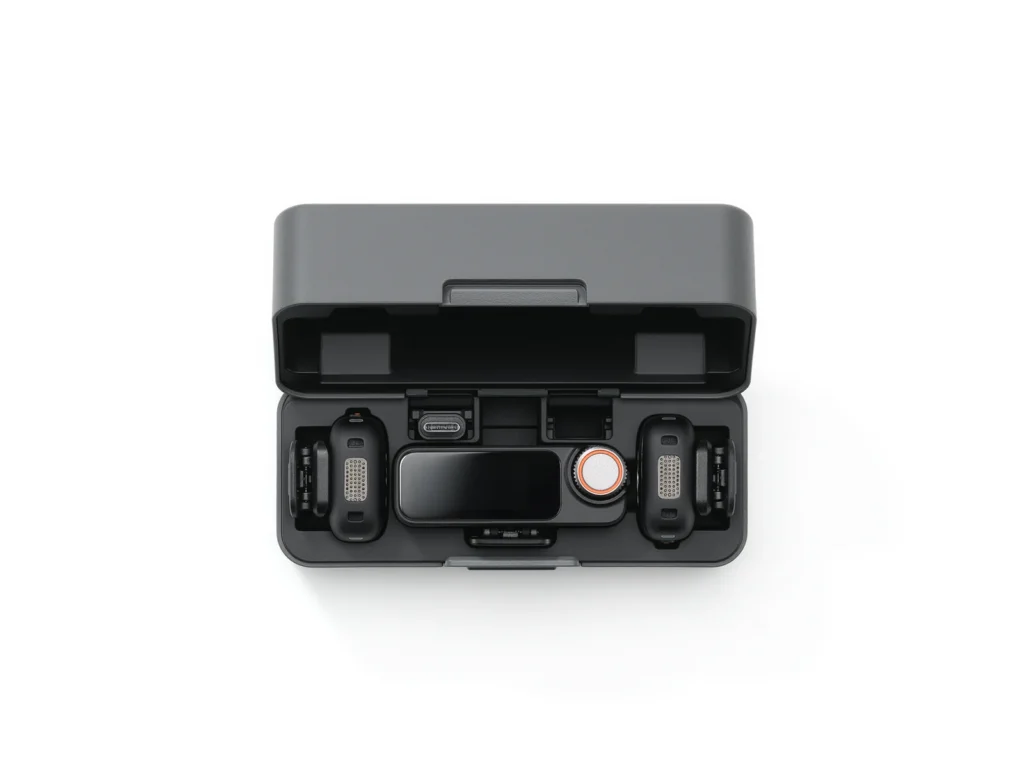
Wireless audio is one of the best Prime Day categories to watch because it helps creators at almost every level: real estate walkthroughs, interviews, weddings, client testimonials, talking-head content, livestreams, training videos, and social clips.

What matters:

  • Dual-channel recording if you often film two people.
  • Lav input or a clean built-in mic workflow, depending on how visible the transmitter can be.
  • Backup recording for paid work.
  • Easy camera, phone, and computer compatibility.
  • Clear monitoring and gain control.
  • Wind protection that is not an afterthought.

What to avoid:

  • Mystery wireless kits with no clear return path.
  • Tiny systems that look clean but cannot support your actual workflow.
  • Kits that make you buy three adapters before they become useful.

Nitro already refreshed the deeper wireless mic guide, and that should become the main buying page when exact Prime Day pricing is live: Best Wireless Microphones in 2026.

Best buyer: creators who film people speaking. That includes interviews, real estate agent intros, client testimonials, wedding audio, business videos, online courses, podcasts, and social content.

Prime Day buying rule: do not buy a mic only because it is tiny. Tiny is nice. Reliable is nicer. Audio gear should protect the take, not just look clean on a shirt.

Lighting

Lighting is where a lot of creators get a better return than they expect. A modest camera with good light can look expensive. An expensive camera under ugly light can look like a security deposit dispute.

Watch for:

  • Small LED panels for mobile creators and quick interviews.
  • Compact COB lights for studios, YouTube sets, and small business content.
  • Softboxes, lanterns, grids, and diffusion.
  • Stands that are not built like wet pasta.
  • Portable battery-friendly lights for field work.

Good lighting deals are not just about brightness. They are about setup speed, color quality, modifier options, power flexibility, and whether the kit lets you repeat a look without starting from scratch every time.

Best buyer: anyone filming indoors, filming faces, building a small studio, or trying to make a modest camera look better.

Prime Day buying rule: a light without a usable modifier and stand is only part of the purchase. Price the full setup before calling it cheap.

Cameras And Lenses

Camera deals are exciting, which is exactly why they need adult supervision.

Before buying a camera body, price the full kit:

  • Lens or lenses.
  • Batteries and charger.
  • Recording media.
  • ND filters.
  • Cage, handle, or rigging if needed.
  • Audio solution.
  • Tripod, gimbal, or support.
  • Storage and backup workflow.

A camera body discount can be real and still not be the best use of money. If your current camera is good enough but your audio, lighting, and stabilization are weak, fix those first. If the camera is genuinely limiting paid work, then Prime Day can be a smart moment to watch bodies, lens bundles, and creator-camera packages.

For cinema-camera decision making, this is where Nitro’s comparison work should route readers next: RED KOMODO Vs Sony FX3 in 2026.

There are also existing camera-deal pages that need deeper refreshes before the event, including Prime Day mirrorless camera deals and Prime Day photography deals. Those should not stay as shallow "deals are amazing" pages. They need real product checks, current pricing, images, and a stronger buyer framework before the sale window.

Best buyer: creators who already know the current camera is limiting paid work, low-light needs, autofocus, resolution, recording formats, lens ecosystem, or turnaround speed.

Prime Day buying rule: if you cannot explain what job the new camera helps you win or deliver better, you probably need to fix audio, lighting, or workflow first.

Drones

Drones can be worth watching for real estate, construction, tourism, event venues, sports, and commercial video. But drone deals come with more homework than normal creator gear.

Check:

  • Registration and Remote ID requirements.
  • Airspace and local rules.
  • Insurance needs for paid work.
  • Battery count and battery health.
  • Controller type.
  • ND filter availability.
  • Return policy and warranty.
  • Whether the bundle actually includes the accessories you need.

The deal is not just the drone. The deal is the drone plus batteries plus controller plus compliance plus whether you can use it without turning a simple shoot into a paperwork festival.

For real estate teams, the drone does not stand alone. It should fit the full listing-media workflow: ground video, aerials, audio, stabilization, photos, 3D/virtual tour needs, delivery speed, and licensing. Nitro’s broader gear guide is here: Best Real Estate Videography Equipment in 2026.

Best buyer: real estate media teams, tourism/hospitality creators, construction progress shooters, venue marketers, and commercial video teams.

Prime Day buying rule: drone deals need compliance checks. A cheap drone you cannot confidently use for paid work is not cheap. It is decorative liability.

Storage, Media, And Backup Gear

Storage is the least romantic category and one of the easiest places to make a smart buy.

Watch:

  • V-rated SD cards for video modes that require sustained write speeds.
  • CFexpress cards if your camera needs them.
  • Portable SSDs for editing and field backup.
  • Card readers.
  • Docking stations.
  • Archive drives.
  • NAS expansion drives if your workflow is serious enough.

Do not buy memory cards just because the capacity looks big. Recording format matters. Sustained write speed matters. Seller trust matters. A fake or underperforming card can destroy a shoot more efficiently than almost any other accessory.

Best buyer: literally anyone recording video. Storage is universal. The only people who do not need storage are people who enjoy deleting footage with a haunted look in their eyes.

Prime Day buying rule: buy media based on the camera’s recording modes, not the biggest number on the card.

Tripods, Gimbals, Cages, And Support

Support gear is where small upgrades can make footage feel much more professional.

Watch:

  • Travel tripods for solo creators.
  • Fluid-head tripods for interviews and events.
  • Monopods for sports and weddings.
  • Gimbals for real estate walkthroughs and social content.
  • Camera cages, handles, quick-release plates, clamps, and monitor arms.

Avoid support gear with questionable weight ratings or too many proprietary little pieces. If the setup slows you down more than it helps, it is not support gear. It is a tiny unpaid assistant causing problems.

Best buyer: creators who film alone, real estate teams, interview shooters, event teams, sports crews, and anyone who needs repeatable framing.

Prime Day buying rule: check payload, plate compatibility, setup time, and whether it fits your actual camera/lens/mic/monitor setup.

Editing And Studio Gear

Not every Prime Day creator purchase has to go in the camera bag.

Watch:

  • Monitors.
  • Calibrated or color-friendly displays.
  • Editing laptops and creator desktops.
  • Docking stations.
  • External SSDs.
  • Keyboards, mice, tablets, and control surfaces.
  • Headphones and speakers for editing.
  • Desk lighting and studio organization.

If your current computer treats 4K footage like a personal attack, an editing upgrade may create more value than another lens.

Best buyer: editors hitting playback, storage, monitor, dock, or export bottlenecks.

Prime Day buying rule: do not buy editing gear only by spec sheet. Think about the whole desk: monitor, storage speed, ports, card readers, backup, audio monitoring, and comfort during long edits.

What Different Buyers Should Prioritize

Buyer typeFirst prioritySecond prioritySkip for now
Solo creatorAudio and lightingStorage and fast setup gearExpensive camera bodies unless the current camera is truly limiting the work.
Real estate video teamDrone/support gearWireless audio, gimbal, lighting, storageRandom studio gear that does not help listing turnaround.
Event or wedding shooterReliable audioBatteries, storage, monopods, backup gearAnything untested that could fail during paid work.
Small business making contentSimple audio and lightsTripod, phone/camera support, editing storageOvercomplicated cinema gear.
Production companyBackup systems and workflow gearMonitors, storage, lighting, specialty toolsCheap gear that creates support headaches.
Beginner creatorA simple mic, one good light, and stable supportStorage and powerBuying a full "pro" kit before learning the workflow.

This is the part people skip because it is less fun than shopping. But matching the buyer type to the category is where the money gets saved.

Prime Day 2026 buyer priority map for creators and video teams
Different buyers should chase different deals. Match the discount to the work, not the loudest badge.

This article should become the Prime Day 2026 creator-gear hub. The deeper product articles should do the product-level work once prices and exact Amazon links are verified.

Use these next:

If you care aboutRead this nextWhy
Wireless audioBest Wireless Microphones in 2026Detailed mic recommendations, older models worth keeping, and units to avoid.
Real estate kitsBest Real Estate Videography Equipment in 2026Full workflow view: camera, drone, audio, support, lighting, and 3D tour gear.
Camera bodiesRED KOMODO Vs Sony FX3 in 2026Better for serious camera-body decisions than a generic sale page.
Mirrorless camera dealsPrime Day mirrorless camera dealsNeeds a deeper Prime Day refresh, but this is the current camera-deal URL to improve.
Photography gear dealsPrime Day photography dealsUseful companion for lenses, accessories, and hybrid creators once refreshed.

That internal-link map matters. A hub should not try to answer every product question by itself. It should tell readers what matters, then send them to the most useful next page.

What Not To Buy Just Because It Is On Sale

The Camera Body That Breaks The Rest Of The Budget

If a camera deal eats the entire budget and leaves no room for media, batteries, lenses, audio, light, or support, it is not a deal. It is a hostage situation with a lens mount.

The No-Name Audio Kit For Paid Work

Cheap backup gear has a place. Cheap primary audio for paid interviews is how stress learns your address. If the audio matters, prioritize reliability, backup recording, monitoring, lav workflow, and return policy.

The Lighting Kit With Mystery Stands

Cheap lights can be useful. Bad stands are different. If the stand looks like it loses arguments with gravity, move on.

The Drone Bundle With Unclear Rules

Drones are not normal gadgets. You need to care about registration, Remote ID, airspace, insurance, batteries, and seller support. If those details are unclear, the discount is not enough.

The Memory Card With Big Capacity And Vague Speed

For video, speed rating and reliability matter. Capacity is not the whole story. A big card that cannot sustain the recording mode you need is just a small rectangle of disappointment.

Pre-Prime-Day Checklist

Do this before June 23:

  1. Make a short list of gear you actually need.
  2. Write down the problem each item solves.
  3. Record the normal price before the sale.
  4. Decide your buy price before the deal appears.
  5. Check compatibility with your cameras, phones, computers, and software.
  6. Check what accessories are required.
  7. Check return window and seller details.
  8. Read recent reviews, not just top reviews from ancient history.
  9. Prioritize gear that improves paid work, repeat work, quality, or speed.
  10. Ignore anything you would not have wanted before the discount badge showed up.

This sounds basic because it is. Basic is good. Basic keeps the cart from becoming a crime scene.

How To Use This During Prime Day

Once Prime Day starts, do not browse randomly. Use a repeatable loop.

Morning Check

  • Check the top two categories you care about.
  • Verify whether your saved products actually changed price.
  • Look for bundle changes, not just price drops.
  • Check whether the seller is Amazon, the brand, or a third party.
  • Save candidates, but do not buy everything immediately unless the price hits your pre-set target.

Midday Check

  • Recheck fast-moving categories: storage, batteries, audio, and lighting.
  • Compare with your normal price notes.
  • Look for competing models in the same category.
  • Avoid "only X left" pressure unless the product already passed your scorecard.

Night Check

  • Review what changed.
  • Remove weak deals from the list.
  • Buy only the products that still make sense after the initial rush.
  • Note anything worth turning into a dedicated deal roundup or refresh.

Prime Day runs multiple days, which can be useful if you are patient. A four-day event gives you time to compare. It also gives you four days to make nonsense purchases. Respect both truths.

Nitro’s Prime Day 2026 Coverage Plan

This kickoff page should act as the hub. As Prime Day gets closer and live pricing becomes useful, Nitro should update or publish focused deal pages instead of stuffing every possible product into one giant article.

Planned coverage:

CoveragePurpose
Wireless mic dealsHelp creators choose reliable audio kits and avoid bad paid-work audio.
Camera and lens dealsSeparate real creator-camera value from flashy bundle noise.
Real estate video gear dealsFocus on drones, gimbals, audio, lighting, storage, and fast delivery workflow.
Video production gear dealsCover practical field gear, batteries, media, monitors, lights, and support.
Creator studio dealsBuild budget-friendly kits for YouTube, social content, interviews, and small businesses.
Drone deal watchFocus on bundles, batteries, compliance, and real use cases.

The rule is simple: if a roundup names specific products, it needs exact product pages, product images, current price language, affiliate disclosure, and a rendered public-page audit. No Amazon search-link nonsense. No mystery buttons. No "probably fine" buying advice.

Bottom Line

Amazon Prime Day 2026 runs June 23-26. For creators and video teams, the opportunity is not "buy stuff because it is discounted." The opportunity is to fix real production problems while prices are moving.

Build the watchlist now. Know your normal prices. Decide what matters before the sale clock starts. Then buy the gear that makes your work better, faster, cleaner, or safer.

The cart should not be the creative director.

FAQ

When is Amazon Prime Day 2026?

Amazon says Prime Day 2026 runs June 23-26, starting June 23 at 12:01 a.m. PDT.

What creator gear should I watch first?

Most creators should watch wireless audio, lighting, storage, batteries, and support gear before chasing camera bodies. Those categories often improve the final video more directly than a camera upgrade.

Should I buy a camera on Prime Day?

Only if the camera solves a real limitation and the full kit still makes financial sense. Price the lens, batteries, media, ND filters, support, storage, and audio before calling the body discount a win.

Are Prime Day drone deals worth it?

They can be, especially for real estate and commercial video teams, but drones require extra checks: registration, Remote ID, airspace, insurance, battery count, controller type, seller, warranty, and return policy.

Should I trust every Prime Day deal badge?

No. Check normal pricing, seller, warranty, return policy, bundle contents, model age, and whether the item solves a real workflow problem.

Sources

More To Explore

Do You Want To Boost Your Business?

drop us a line and keep in touch

Women in a meeting