 Skip to content
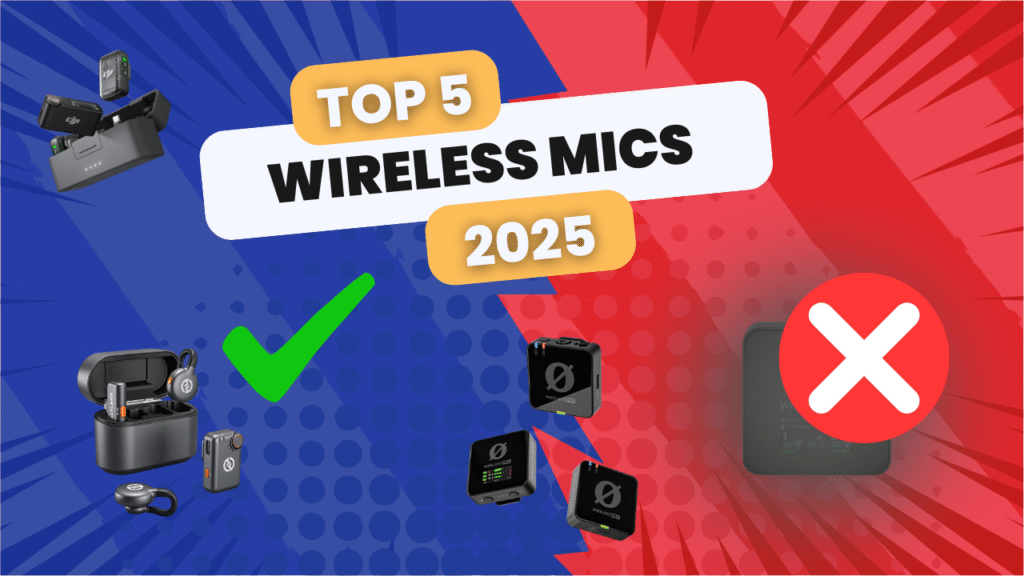
2026 refresh note: the buyer advice stays opinionated on purpose. DJI Mic 2 is still the sane pick for camera/lav workflows where a 3.5mm input matters, and I am not going to pretend losing that input is a tiny footnote. DJI Mic 3 is interesting, but if the workflow needs a transmitter lav input, that omission is a real buying problem, not a spec-sheet personality quirk.
DJI Mic 2 vs DJI Mic 3: The Practical Buying Split
DJI Mic 2 remains the safer recommendation for a lot of paid creator, interview, and small production work because the workflow is familiar, flexible, and less annoying when you need to plug in a lav. DJI Mic 3 can make sense for people who like the newer tiny kit and can live inside its design choices, but the missing 3.5mm transmitter input is exactly the kind of thing that makes a clean product demo turn into a paid-shoot headache.
| Buyer | Better first look | Why |
|---|---|---|
| Paid interviews, real estate walkthroughs, business video, lav workflows | DJI Mic 2 | The safer workflow pick when external lav input still matters. |
| Tiny creator kit with simple clip-on use | DJI Mic 3 | Worth comparing if the feature tradeoffs match how you actually record. |
| Production safety and backup recording | RODE Wireless PRO | Still a strong pro-minded pick when the job needs redundancy and timecode-style discipline. |
| Hollyland feature density | Hollyland LARK MAX 2 | Interesting when you want a serious alternative to the DJI/RODE default lane. |
| Discreet on-camera creator audio | Hollyland LARK M2S | Better when the mic should not become the main character on somebody’s shirt. |
Check The Bundle Before You Buy
Wireless mic product pages change constantly: two-transmitter kits, charging cases, camera receivers, phone adapters, lavs, magnets, and return-window details are not universal. Before buying RODE Wireless Micro, Saramonic Ultra, DJI Mic Mini, or any of the Hollyland kits, confirm exactly what is in the box and whether it matches the device you actually record on. This is where people accidentally buy the almost-right kit and then spend Tuesday night ordering adapters like penance.
Check DJI Mic 2 PriceCheck DJI Mic 3 PriceCheck RODE Wireless PRO PriceCheck Hollyland LARK MAX 2 PriceCheck Hollyland LARK M2S Price
Sources Checked For This Refresh
| Source | Why it matters |
|---|---|
| DJI Mic 2 official page | Current DJI Mic 2 workflow and feature context. |
| DJI Mic 3 official page | Current DJI Mic 3 feature context and buyer caveats. |
| RODE Wireless PRO | Pro wireless kit positioning and production feature context. |
| Hollyland LARK MAX 2 | Current Hollyland premium alternative source. |
| Saramonic Ultra | Saramonic current wireless mic source. |
Currentness note: This refresh is written for 2026 buying intent. Wireless mic bundles, firmware, retailer stock, and sale pricing change constantly. Use the Amazon links to verify exact current price, bundle contents, return window, and compatibility before buying.
Prime Day 2026 watch: Amazon has posted the official June 23-26 dates, so we are tracking creator and video gear here: Prime Day 2026 creator and video gear guide.
Reader-supported disclosure: This roundup is reader-supported. As an Amazon Associate, Nitro Media Group may earn from qualifying purchases when you use the Amazon links below.
Straight up: wireless mics are boring right up until they ruin the whole shoot. A bad mic can make a beautiful video feel cheap in about three seconds, which is rude considering how much camera gear costs.
The old version of this article had the right attitude: some mics are worth buying, some are decent if the price is right, and some need to be dragged into the sunlight and asked what exactly they think they are doing. This version keeps that honesty, but updates the lineup for 2026 instead of pretending every older recommendation should be thrown in the trash.
For most creators, the first shortlist is still DJI, RODE, and Hollyland. Saramonic is more interesting now than it used to be, especially if you are looking at budget kits or more production-minded systems. Neewer still belongs in the budget conversation. The trick is not buying the newest mic. The trick is buying the mic that fits how you actually shoot. In my opinion, DJI Mic 2 is still the better practical DJI pick over Mic 3 for real lav workflows because removing the 3.5mm transmitter input is nuts.
For client shoots, interviews, livestreams, and event video, Nitro Media Group can bring the right audio kit and backup workflow so the final video sounds as clean as it looks.
Best Wireless Microphones in 2026: Quick Picks
| Use case | Best fit | Why | Before you buy |
|---|---|---|---|
| Best overall practical creator kit | DJI Mic 2 | Still the better real-world DJI pick if you use lavs because it keeps the transmitter input workflow sane | Buy it when priced right; do not pay new-flagship money just because it is familiar. |
| Best small DJI kit if lavs do not matter | DJI Mic 3 | Tiny, current, clean-sounding, and fast for transmitter-first creator workflows | No 3.5mm lav input on the transmitter is nuts if you do real lav work. |
| Best paid-interview safety pick | RODE Wireless PRO | 32-bit float onboard recording, timecode, included lavs, and locking inputs | Not the slickest. More workhorse than toy. That is the point. |
| Best feature-heavy Hollyland option | Hollyland LARK MAX 2 | Loaded feature set, strong audio tools, internal recording, and serious creator appeal | The lav-input/adaptor situation still needs checking before pro work. |
| Best low-profile visible mic | Hollyland LARK M2S | Small, discreet, clean-looking on camera, and more polished than the old M2 direction | Not the most production-safe kit if backup/timecode/lavs are mandatory. |
| Best still-relevant older buy | Hollyland LARK M2 | Still a useful compact creator kit when priced below the newer M2S | M2S is the cleaner current pick unless the M2 deal is strong. |
| Best real budget conversation | Neewer CM28 / Hollyland LARK A1 | Cheap enough to make sense for beginners, backups, and simple content | Do not pretend these are bulletproof paid-client systems. |
| Best new phone-first mini option | RODE Wireless Micro | Tiny, simple, phone-friendly, and a clean beginner setup | Wonderful for phone creators; limited if you want a full camera/interview workflow. |
| Best Saramonic curveball | Saramonic Ultra | More production-minded Saramonic option with timecode and 32-bit float features | Check availability, bundle details, and whether you actually need that complexity. |
Product Images And Amazon Buy Links
For this kind of gear article, pictures matter. Use the cards below to visually compare the units, then click through to Amazon to verify the exact bundle and current price.

DJI Mic 2
Current price: $199Best practical DJI pick if you need a sane lav workflow.
View on Amazon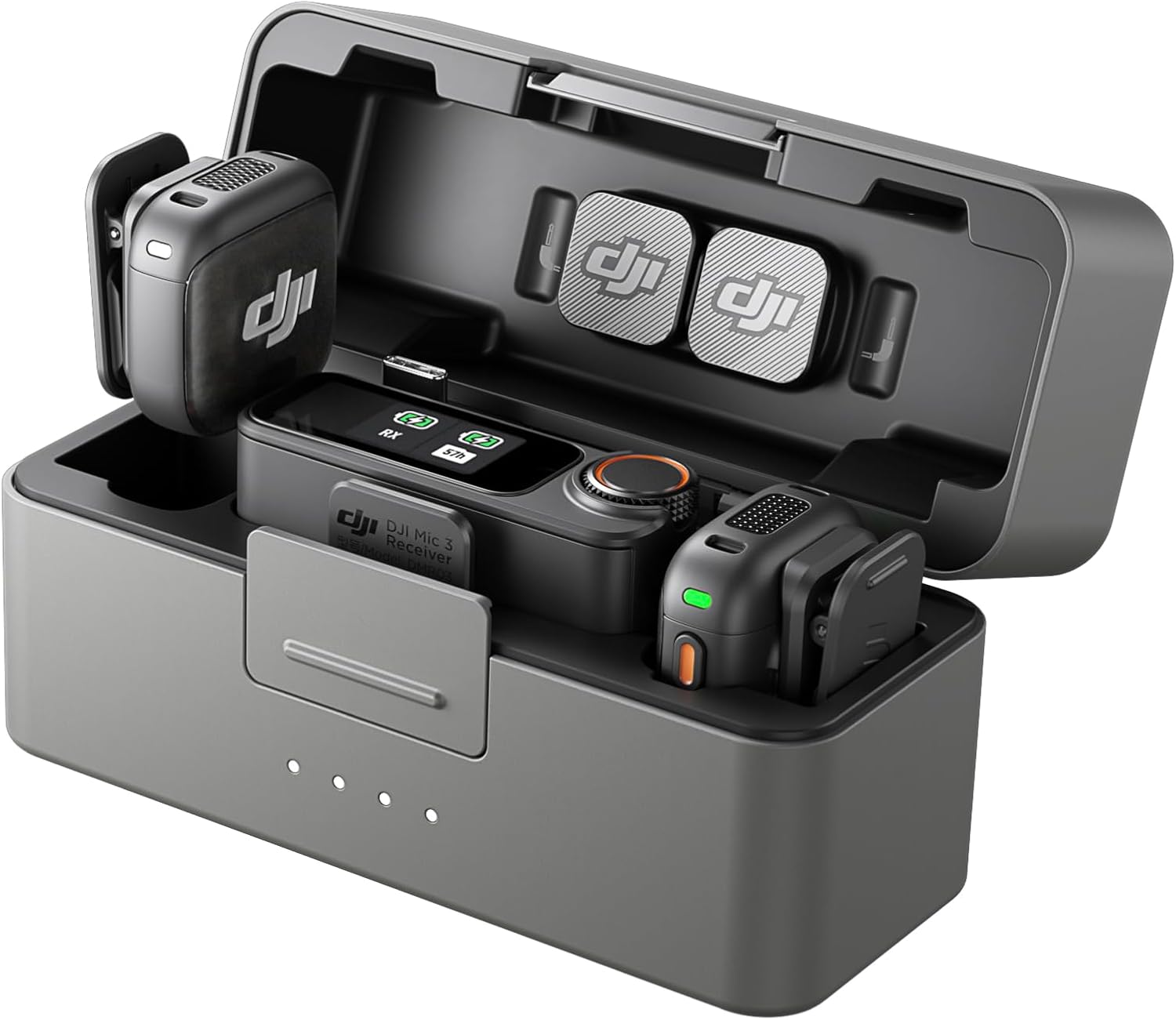
DJI Mic 3
Current price: $259Tiny/current DJI kit if you do not need a transmitter lav input.
View on Amazon
RODE Wireless PRO
Current price: $259.90Best paid-work safety pick.
View on Amazon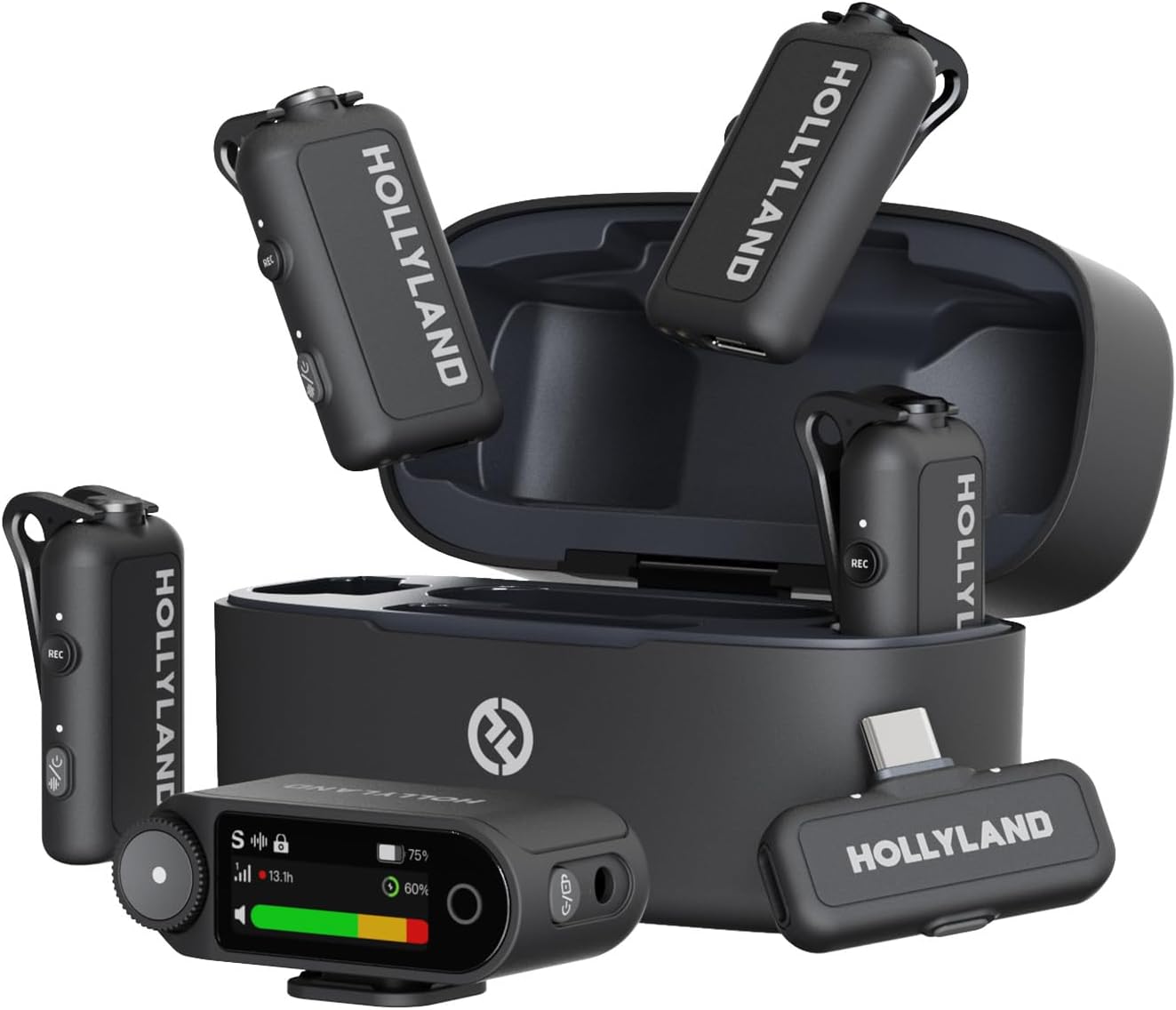
Hollyland LARK MAX 2
Current price: $299Feature-heavy Hollyland option.
View on Amazon
Hollyland LARK M2S
Current price: $89Best small/discreet visible mic.
View on Amazon
Neewer CM28
Current price: $64.99Cheap backup/beginner pick.
View on Amazon
Hollyland LARK A1
Current price: $59.90Budget phone-creator option.
View on Amazon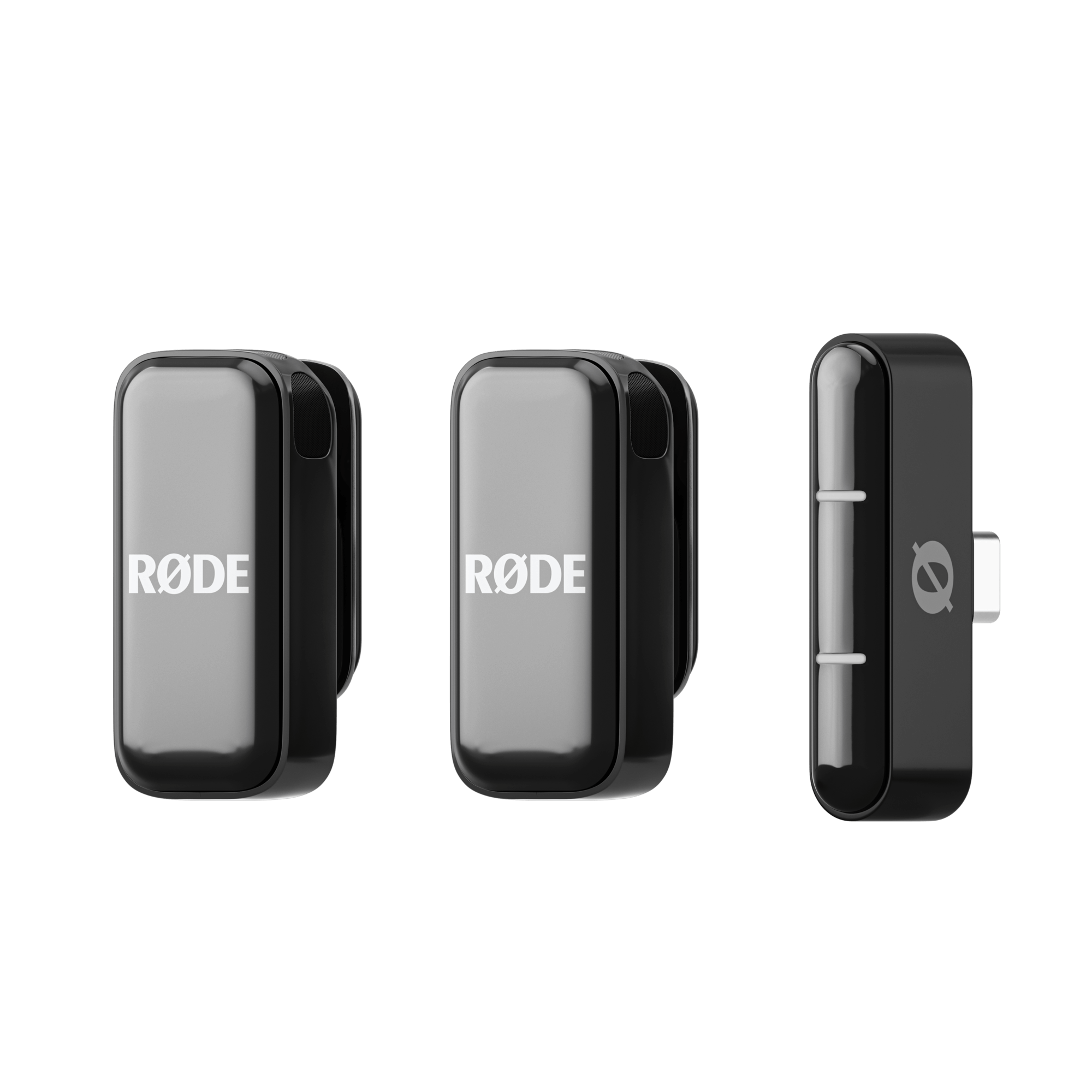
RODE Wireless Micro
Current price: $90Tiny phone-first option.
View on Amazon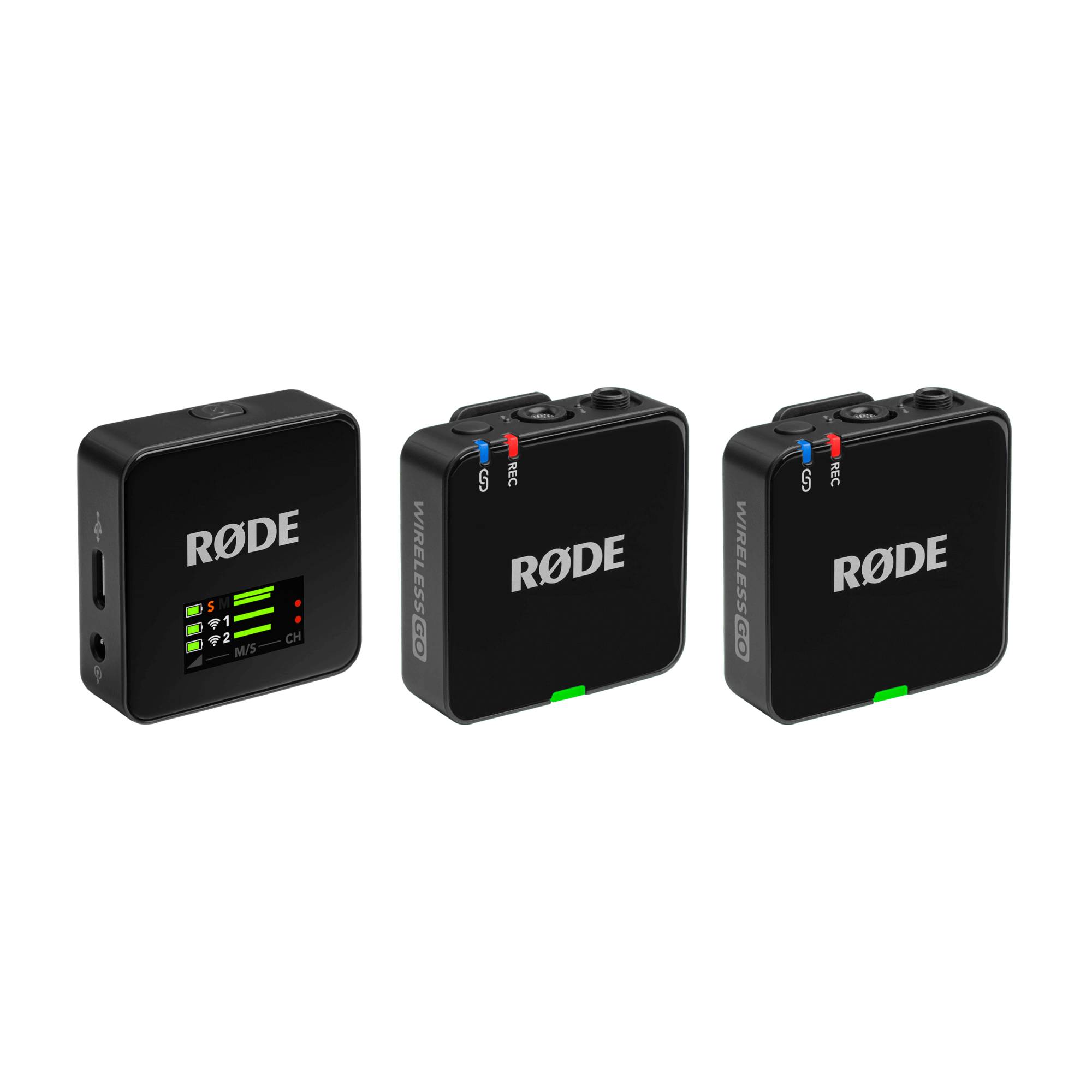
RODE Wireless GO Gen 3
Current price: $177The GO line got more interesting again.
View on Amazon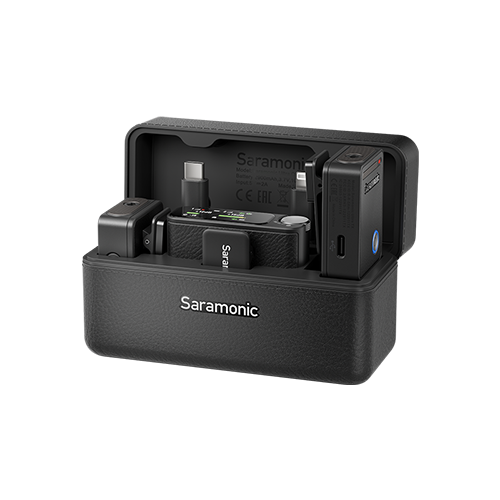
Saramonic Ultra
Current price: $239More production-minded Saramonic option.
View on Amazon
DJI Mic Mini
Current price: $79Simple DJI ecosystem option for casual creator work.
View on Amazon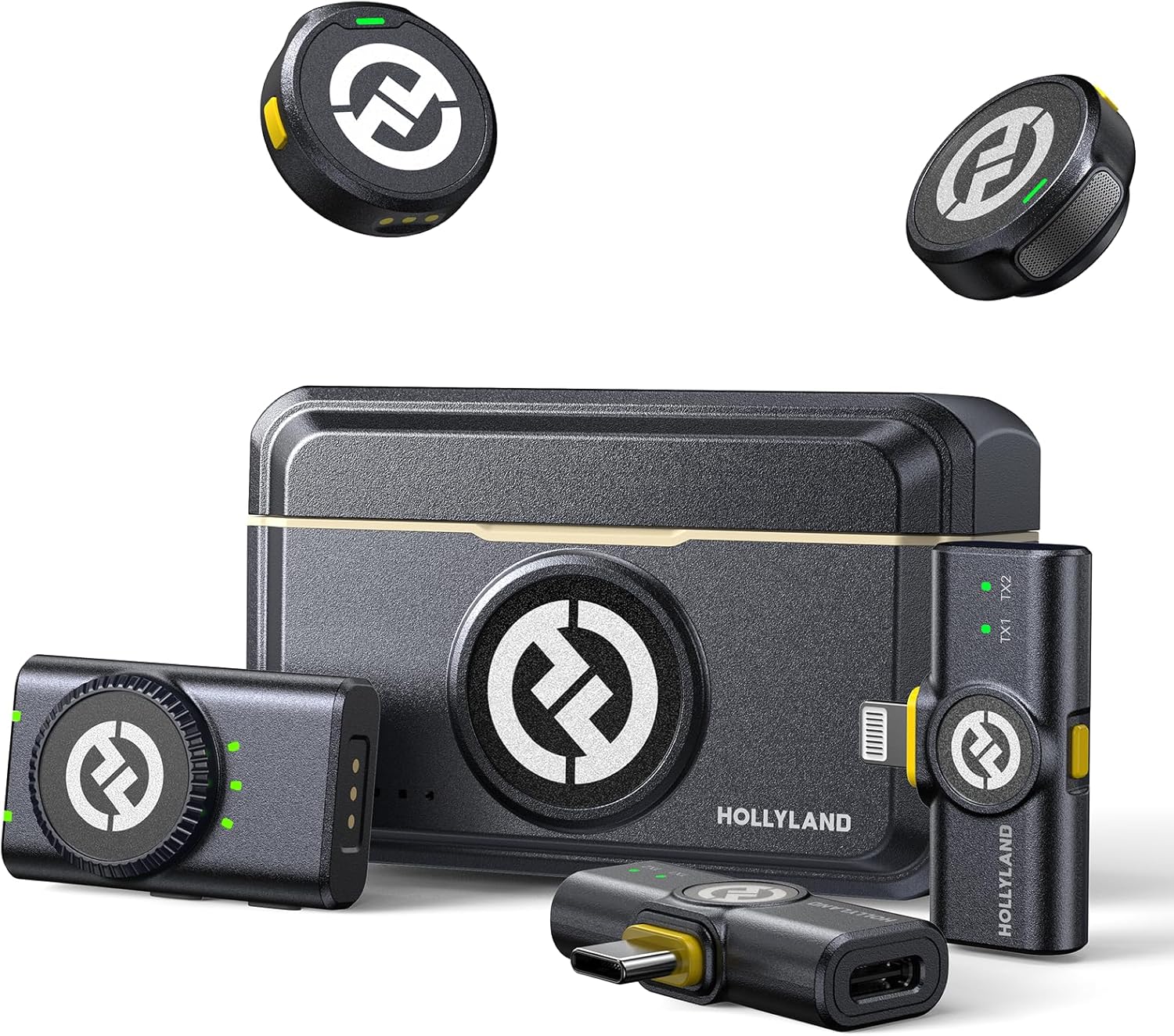
Hollyland LARK M2
Current price: $99Still useful when priced below M2S.
View on Amazon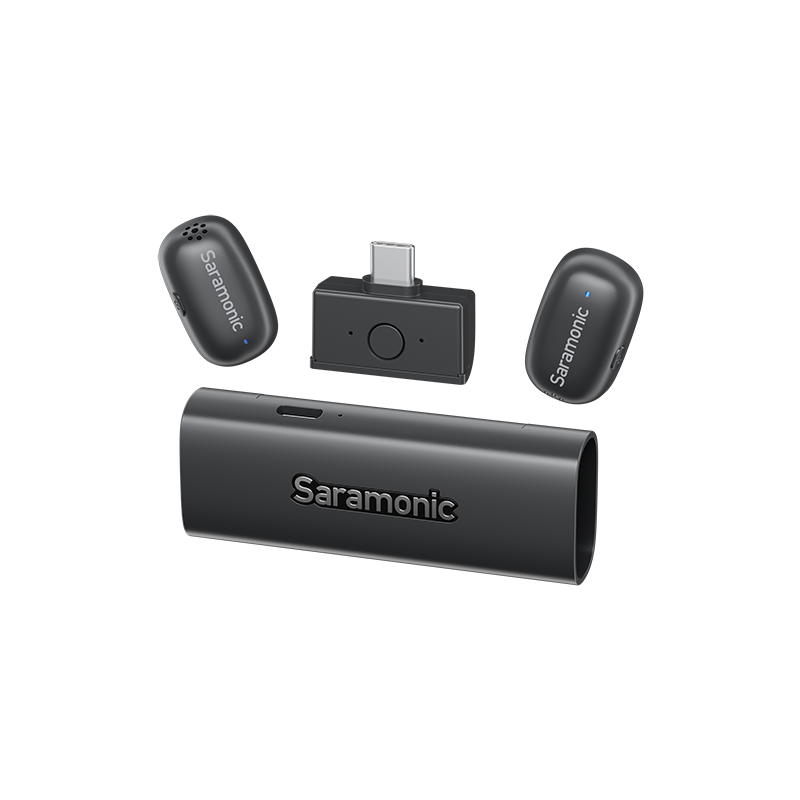
Saramonic Air
Current price: $149Budget Saramonic creator kit.
View on Amazon
RODE Wireless GO II
MSRP: $299Clearance-rack only in 2026.
View on Amazon
RODE Wireless ME
Current price: $166Casual-only unless the price is very right.
View on AmazonCurrent Amazon Price Checks
Use these current price checks as a quick sanity check, then use the Amazon buttons for the live checkout price. Wireless mic listings love to look almost identical while quietly missing the receiver, charging case, lavs, or adapters you actually need.
| Gear | Current price | Amazon buy link | What to verify |
|---|---|---|---|
| DJI Mic 3 | $259 | View on Amazon | Confirm transmitter count, receiver, case, camera/phone adapters, and lav-input needs. |
| DJI Mic 2 | $199 | View on Amazon | Preferred DJI pick for practical lav workflows; confirm the bundle and make sure the price still makes sense. |
| DJI Mic Mini | $79 | View on Amazon | Check whether tiny/simple beats missing pro features for your actual work. |
| RODE Wireless PRO | $259.90 | View on Amazon | Confirm lavs, timecode needs, case/accessory kit, warranty, and return terms. |
| RODE Wireless GO Gen 3 | $177 | View on Amazon | A better RODE GO path than GO II; compare price against Wireless PRO. |
| RODE Wireless Micro | $90 | View on Amazon | Great phone-first option; verify USB-C/Lightning version and app workflow. |
| Hollyland LARK MAX 2 | $299 | View on Amazon | Verify bundle, lav/input handling, internal recording, and adapters. |
| Hollyland LARK M2S | $89 | View on Amazon | Check connector type, transmitter count, and whether you need pro backup features. |
| Hollyland LARK M2 | $99 | View on Amazon | Still useful if priced well; M2S is the cleaner current pick for visible mics. |
| Hollyland LARK A1 | $59.90 | View on Amazon | Phone-first budget option; confirm receiver type, color/bundle, and case. |
| Neewer CM28 | $64.99 | View on Amazon | A budget/backup pick, not a mission-critical audio plan. |
| Saramonic Air | $149 | View on Amazon | Compare against LARK A1, CM28, and DJI/Rode discounts before buying. |
| Saramonic Ultra | $239 | View on Amazon | Check 32-bit/timecode bundle, lavs, and whether the workflow fits your camera. |
| RODE Wireless GO II | $299 | View on Amazon | Only makes sense heavily discounted. At premium pricing, no thanks. |
| RODE Wireless ME | $166 | View on Amazon | Fine for casual users at the right price; not a serious upgrade path. |
Quick Recommendation
If you want the easiest practical DJI kit and you care about lavs, start with DJI Mic 2. If you want the smallest/current DJI kit and you are fine talking into the transmitter influencer-style, look at DJI Mic 3. If paid interviews, weddings, events, or multi-camera shoots are on the table, start with RODE Wireless PRO. If you want the most interesting Hollyland feature set, look at LARK MAX 2. If visible mic size matters, LARK M2S is the clean little on-camera option. If budget is the whole conversation, compare Neewer CM28, Hollyland LARK A1, Saramonic Air, and whatever DJI/RODE sale is happening that week.
And yes, older mics still matter. DJI Mic 2 did not become garbage because DJI launched another shiny square. In fact, Mic 2 is still the DJI kit I like better for a lot of real shoots because the lav workflow makes more sense. Hollyland LARK M2 can still make sense. DJI Mic Mini can be fine for simple DJI ecosystem work. But older gear needs older-gear pricing. If the price is too close to the current model, congratulations, you found a worse deal with nostalgia lighting.
How We Picked These Wireless Mics
This refresh is based on practical production fit, current product availability, and the kinds of shoots Nitro handles: interviews, events, livestreams, commercials, social clips, and creator-style production. It is not based on one-off sale claims or stale coupon math from a product page wearing a fake mustache.
- Audio safety: onboard backup recording, 32-bit float, safety tracks, and monitoring.
- Workflow speed: charging case, pairing, adapters, phone/camera compatibility, and how fast you can set up under pressure.
- Production fit: lav input, timecode, multi-camera sync, hidden mic use, and event/interview reliability.
- Creator fit: size, visible transmitter design, vertical workflow, and not looking ridiculous on camera.
- Buying risk: stale designs, fake value, weak accessory bundles, missing backup recording, and systems that look cheap until they cost you a reshoot.
1. DJI Mic 2: Best Overall Practical DJI Wireless Mic
Best for: creators, interviews, YouTubers, small business video, and anyone who wants a DJI kit that still respects a normal lav workflow.
Straight Up: DJI Mic 2 is still my preferred DJI pick over Mic 3 for a lot of actual production work. Why? Because no 3.5mm jack on the Mic 3 transmitter is nuts. That is not a tiny spec-sheet complaint. That is the difference between a clean lav workflow and telling your subject to wear a branded square like they are reporting live from a tech convention.
The Mic 2 still gives you the DJI convenience people like: charging case, clean setup, useful onboard recording, 32-bit float internal recording, and a system that feels easy to run under pressure. It is not perfect. Storage could be bigger, the logo can catch light, and it is last-gen now. But the practical audio workflow still makes sense.
- Why it works: proven DJI ecosystem, practical lav input, clean setup, charging case, 32-bit float internal recording, and reliable creator workflow.
- Where to be careful: only buy it if the current price makes sense against Mic 3 and RODE/Hollyland alternatives.
- Best buyer: creators and small crews who want DJI ease without giving up the obvious lav workflow.
Verdict: DJI Mic 2 stays above Mic 3 for me. Newer is not always smarter. Sometimes newer means somebody removed the port you actually needed and called it progress.
2. DJI Mic 3: Best Small DJI Kit If You Do Not Need Lav Input
Best for: creators, YouTubers, social video, quick interviews, and camera/phone workflows where speed matters.
Straight Up: DJI Mic 3 sounds good, is tiny, and has a modern feature set. And then DJI removed the 3.5mm lav input from the transmitter. For a home studio YouTube setup or run-and-gun creator who talks directly into the transmitter, fine. For professional lav workflow? That design choice is a forehead slap.
DJI’s official Mic 3 specs list a compact 16 g transmitter, 24-bit or 32-bit float internal recording modes, voice tone presets, timecode support, and a modern charging-case workflow. That makes it an easy first look for creators who want something small, current, and fast.
- Why it works: small transmitters, clean DJI ecosystem, strong creator workflow, onboard recording, and current feature set.
- Where to be careful: do not buy purely by range numbers, and do not assume the lav-input workflow matches older systems.
- Best buyer: creators who want a small, fast kit and mostly record with the transmitter itself or a simple camera/phone setup.
Verdict: DJI Mic 3 is a great tiny creator system if you do not need a lav input on the transmitter. If you do need that, DJI Mic 2 is the better practical pick. I do not care how shiny the new one is.
3. RODE Wireless PRO: Best Paid-Work Safety Pick
Best for: interviews, weddings, events, documentary work, multi-camera shoots, and anyone whose paycheck depends on the audio surviving.
Straight Up: RODE Wireless PRO is not the flashiest mic here. It is not the most fun. It is the system you buy when the sentence you want at the end of the day is, “the audio survived.” That is a beautiful sentence.
RODE lists 32-bit float onboard recording, timecode, dual-channel wireless operation, included lavaliers, broad device compatibility, and a production-oriented accessory kit. The interface still feels a little clunky compared with newer creator kits, but the workflow is built around protecting takes.
- Why it works: 32-bit float onboard recording, timecode, included lavs, locking inputs, and pro backup workflow.
- Where it annoys me: chunky transmitters, less slick interface, shiny finish, and accessory-bag chaos if you do not pack carefully.
- Best buyer: event teams, interview crews, wedding shooters, and creators recording important dialogue.
Verdict: If you are casual vlogging, this may be overkill. If you are filming paid work, overkill is sometimes just another word for sleeping peacefully.
4. Hollyland LARK MAX 2: Best Feature-Heavy Hollyland Option
Best for: creators and small production teams who want a loaded feature set without defaulting to DJI or RODE.
Straight Up: Hollyland LARK MAX 2 is the one that makes you lean forward a little. Strong audio tools, serious feature density, and a product page that is clearly trying to start a fight. Good. Competition is healthy. It keeps everyone honest.
The LARK MAX 2 is the Hollyland system to compare when you want internal recording, advanced noise reduction, strong creator controls, and a more feature-heavy alternative to DJI. The caveat is the same boring but important caveat: check the exact lav/input and adapter situation before you treat it like a pro interview system.
- Why it works: feature-heavy design, strong sound direction, internal recording workflow, and creator-friendly controls.
- Where to be careful: adapter/lav handling can turn excitement into a tiny dongle-related tragedy.
- Best buyer: creators who want a premium Hollyland option and are willing to verify the workflow before paid work.
Verdict: LARK MAX 2 belongs near the top of the conversation. I just want every mic company to stop making pro audio depend on a tiny accessory that looks like it could disappear under a car seat forever.
5. Hollyland LARK M2S: Best Small and Discreet Creator Mic
Best for: visible on-camera use, quick social content, vlogs, small business video, and creator interviews where the transmitter should not become the main character.
Straight Up: The LARK M2S is for people who do not want a giant branded square hanging off their shirt like a tiny press badge. Sometimes “does not look weird on camera” is the entire brief.
Hollyland positions the LARK M2S as a small, cleaner-looking wireless mic with a low-profile design and simple creator workflow. It is not automatically the most pro option, but it is exactly the kind of mic that makes sense for people who care how the setup looks on camera.
- Why it works: small visible footprint, easy wear, simple creator setup, and cleaner presentation.
- Where to be careful: compare against DJI Mic 3, RODE Wireless PRO, and LARK MAX 2 if you need timecode, 32-bit float, or stronger backup features.
- Best buyer: social creators, presenters, small businesses, and anyone who wants better audio without an obvious transmitter brick.
Verdict: LARK M2S is the current compact Hollyland pick I would push higher than the older M2 for most buyers, unless the M2 is much cheaper.
6. Neewer CM28: Best Cheap Backup / Beginner Pick
Best for: beginner YouTubers, casual creators, backup kits, and people who need better-than-camera audio without spending real production money.
Straight Up: The Neewer CM28 is not the best wireless mic on this list. Not close. But it is cheap enough that the conversation changes. At the right price, “good enough” can be a very respectable little phrase.
Treat it as a starter system or backup kit. It can be useful for casual video, travel, second shooters, and simple talking-head work. Do not treat it like the audio plan for a once-in-a-lifetime paid interview unless you enjoy learning lessons while sweating.
- Why it works: low cost, simple setup, charging case, and enough quality for beginner content.
- Where to be careful: build quality, range, storage, and long-shoot reliability are not in the same league as the premium kits.
- Best buyer: beginners, backup-kit builders, and creators on a tight budget.
Verdict: CM28 stays in the article because budget gear matters. Just keep expectations honest. Cheap is only good when it still solves the problem.
Newer Mics Worth Comparing in 2026
Hollyland LARK A1: Budget Phone-Creator Option
Hollyland’s LARK A1 is a newer value-focused option aimed at phone creators, with the store listing 48 kHz/24-bit audio, three-level noise cancellation, EQ/reverb adjustment, auto-limit clip protection, long listed battery life, and compact magnetic transmitters. Translation: it is trying to make cheap phone audio less embarrassing.
Verdict: compare LARK A1 against Neewer CM28, Saramonic Air, and discounted DJI/RODE kits. It is interesting for phone-first creators. It is not the mic I would trust as my only plan for paid client interviews.
Saramonic Air: Budget Saramonic Creator Kit
Saramonic Air is the budget Saramonic option to compare when you want a simple creator kit without jumping straight to Ultra money. It belongs in the same shopping lane as LARK A1, Neewer CM28, DJI Mic Mini deals, and discounted RODE Wireless Micro kits.
Verdict: compare Saramonic Air if the price is meaningfully cheaper than the better-known DJI, RODE, and Hollyland options. If it is priced too close, do not overthink it. Buy the stronger ecosystem.
RODE Wireless Micro: Tiny Phone-First Mic
RODE Wireless Micro is the simple, tiny, phone-first option. RODE positions it around ultra-compact transmitters, built-in microphones, wind/plosive handling, splashproof transmitter design, and a charging-case workflow. It is not trying to be a full production audio kit. It is trying to make phone creators sound better without a big setup.
Verdict: great for beginners and phone-first social content. If you need camera workflows, lavs, timecode, or paid interview safety, compare Wireless GO Gen 3 or Wireless PRO instead.
RODE Wireless GO Gen 3: The GO Line Got More Interesting Again
The old Wireless GO II is a hard sell now, but Wireless GO Gen 3 is a different conversation. RODE’s current GO line has moved forward, and recent RODE updates also make Direct Connect part of the broader conversation for iPhone/iPad workflows. If you like RODE but do not want the full PRO kit, this is the one to compare, not the GO II.
Verdict: Wireless GO Gen 3 may make sense if the price sits comfortably below Wireless PRO. If the price creeps too close, buy the PRO and stop negotiating with yourself.
Saramonic Ultra: More Serious Than the Old Budget Saramonic Reputation
Saramonic is not just the cheap corner anymore. Ultra brings a more production-minded two-person system into the conversation, with official material around timecode and 32-bit float onboard recording. That does not make it an automatic buy, but it is worth mentioning because the brand is clearly trying to move upmarket.
Verdict: compare Ultra if you want 32-bit/timecode features outside the DJI/RODE/Hollyland triangle. If you are looking at Saramonic’s higher-end UHF-style systems, treat that as a pro-audio-retailer decision, not a casual Amazon roundup pick.
Older Mics Still Worth Considering
DJI Mic Mini
Straight Up: DJI Mic Mini is good if you want simple and small, especially if you are already living in DJI’s Osmo/Action camera world. It is also a little overcompromised. It does not really dominate any category. It just quietly does enough.
- Why it works: tiny size, easy DJI integration, strong battery-case convenience, and casual creator friendliness.
- What holds it back: no serious pro backup workflow, limited lav flexibility, and the usual DJI tax if pricing gets silly.
- Verdict: good for casual DJI ecosystem work; not my first paid-interview pick.
Hollyland LARK M2
LARK M2 is still a solid no-fuss creator mic. Compact, simple, clean enough, and generally friendly for vlogs, reels, interviews, and daily content. The reason it drops lower now is not because it got bad. It is because LARK M2S and newer Hollyland options make the decision more specific.
Verdict: buy LARK M2 if it is priced well. Buy LARK M2S if you want the cleaner current visible-mic pick.
Mics I Would Avoid at Full Price
RODE Wireless GO II
Straight Up: RODE Wireless GO II had its moment. That moment was not 2026. It can still record audio, obviously, but at premium pricing it makes very little sense when newer systems bring better backup, better cases, better interfaces, and better value.
- Technically good: dual-channel recording, built-in mics, onboard recording, and broad compatibility.
- Brutal reality: no 32-bit float, old interface, no modern bundled charging case, and too many better current options.
- Verdict: clearance rack only. At full price, skip it.
RODE Wireless ME
Straight Up: RODE Wireless ME is fine if you are a casual beginner and the price is right. But for serious content creation, it feels like the wrong compromise: fewer pro features, not enough price advantage, and a lot of newer competition breathing down its neck.
- Technically good: easy setup, built-in mics, GainAssist, and basic compatibility.
- Why I do not love it: no 32-bit float, not a meaningful upgrade path, and not enough value if the price is too close to better kits.
- Verdict: casual-only. For creators who care about growing into better audio, look elsewhere.
DJI Mic 2 vs DJI Mic 3 vs RODE Wireless PRO
This is the real buying decision for a lot of creators. DJI Mic 2 is the better practical DJI pick if you need a transmitter lav input. DJI Mic 3 is the newer tiny creator kit if you do not care about that. RODE Wireless PRO is the safer paid-work kit when backup, timecode, and included lavs matter more than size.
| Question | Choose DJI Mic 2 if… | Choose DJI Mic 3 if… | Choose RODE Wireless PRO if… |
|---|---|---|---|
| You use lav mics | You want the practical DJI lav workflow | You do not need a transmitter lav input | Included lavs and locking-style workflow matter |
| You mostly shoot solo creator content | You want DJI ease with more flexibility | You want the smallest/current DJI setup | You do not mind a more production-focused kit |
| You shoot paid interviews or events | You want DJI but still need lav flexibility | Only if your workflow fits the transmitter-first design | You want stronger pro safety, lavs, and timecode |
| You sync multiple cameras | Only for simple setups | Only for occasional timecode needs | Timecode and post sync are routine needs |
| You want the least drama | You want a sane port layout | You want a tiny kit | You want take protection |
Do You Need 32-Bit Float?
32-bit float is useful because it can save onboard recordings that are too loud or too quiet. It does not fix bad mic placement, clothing rustle, wind, or wireless dropouts. It is not magic. It is a safety net.
For casual social clips, it is helpful but not mandatory. For paid interviews, weddings, events, documentary work, and anything expensive to reshoot, backup recording matters a lot.
Stuff We Would Not Buy Blind
- Do not buy purely by claimed range. Range is measured in ideal conditions. Real shoots have walls, bodies, Wi-Fi, Bluetooth, metal, crowds, and people asking if you can just quickly record one more thing.
- Do not ignore lav input needs. Built-in transmitter mics are convenient, but hidden lavs still matter for interviews, weddings, and corporate work.
- Do not trust sale language unless checked that day. Use check-current-pricing language unless the price was verified immediately before publishing.
- Do not buy an old model at a new-model price. This is how a decent mic becomes a bad decision.
- Do not skip monitoring. Headphones catch the disaster while you can still fix it.
Wireless Mic Setup Tips for Better Audio
- Place the mic close enough. Most bad audio starts with the mic too far from the speaker.
- Watch clothing noise. Jackets, necklaces, hair, seatbelts, and nervous fidgeting can ruin a take.
- Use wind protection outdoors. A tiny transmitter mic can still get destroyed by wind.
- Monitor when possible. Catch the problem while you are recording, not after.
- Record a test clip. Ten seconds of testing can save the whole shoot.
- Turn on backup recording when available. Wireless audio can fail even when the camera keeps rolling.
When To Hire a Video Team Instead of Buying Mics
If you only need clean audio for a client interview, corporate event, livestream, panel, or testimonial shoot, buying the mic is only part of the job. You still need placement, monitoring, backup recording, sync, mixing, and editing. Learning audio under pressure is a very specific flavor of regret.
Nitro Media Group supports commercial videography, livestreaming, interviews, event video, and production audio workflows. If the final piece needs to look and sound professional, contact Nitro and we can help scope the right setup.
Final Word
Buy the wireless mic that protects the take, not the one with the loudest product page. If you are filming casual content, keep it simple. If you are filming paid work, backup recording, monitoring, lav options, and sync matter. Audio is not the glamorous part of production. It is just the part everybody notices when it goes wrong.
FAQ
What is the best wireless microphone for most creators?
DJI Mic 2 is my first DJI recommendation for most creators who care about lav flexibility. DJI Mic 3 is the easiest tiny/current recommendation if you do not need the transmitter lav input. RODE Wireless PRO is the better choice when production safety, timecode, and lav-based interview work matter more.
Should I still buy DJI Mic 2 in 2026?
Yes. In my opinion, DJI Mic 2 is still better than Mic 3 for a lot of real-world production because Mic 3 losing the 3.5mm transmitter input is a huge miss. Buy Mic 2 if the bundle and price make sense.
Is Hollyland LARK MAX 2 better than LARK M2S?
LARK MAX 2 is the stronger feature-heavy option. LARK M2S is the cleaner small visible mic. The better choice depends on whether you need advanced features or a low-profile creator setup.
What newer mics should I compare in 2026?
Compare Hollyland LARK A1 for budget phone creators, RODE Wireless Micro for simple phone-first recording, RODE Wireless GO Gen 3 for a newer GO-line option, and Saramonic Ultra if you want a more production-minded system outside DJI/RODE/Hollyland.
What wireless mic should I avoid?
Avoid older systems at full price, especially RODE Wireless GO II and Wireless ME if they are sitting too close to better current options. They are not useless. They are just bad buys when the market has moved on.
Can Nitro Media Group handle audio for client shoots?
Yes. Nitro can bring the right mic setup for interviews, livestreams, commercial video, event coverage, testimonials, and social content. See Nitro services or contact Nitro to talk through the shoot.


