 Skip to content
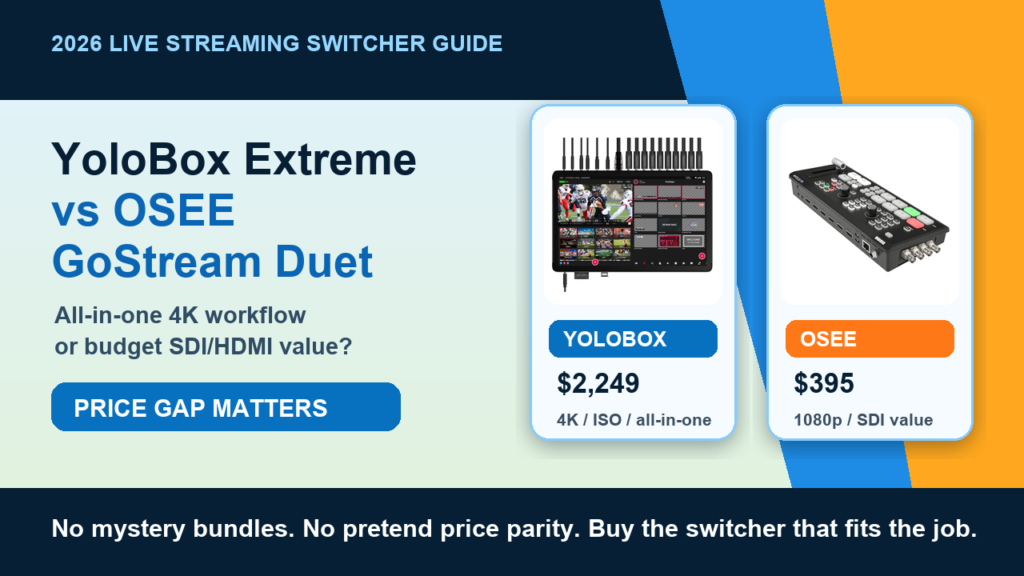
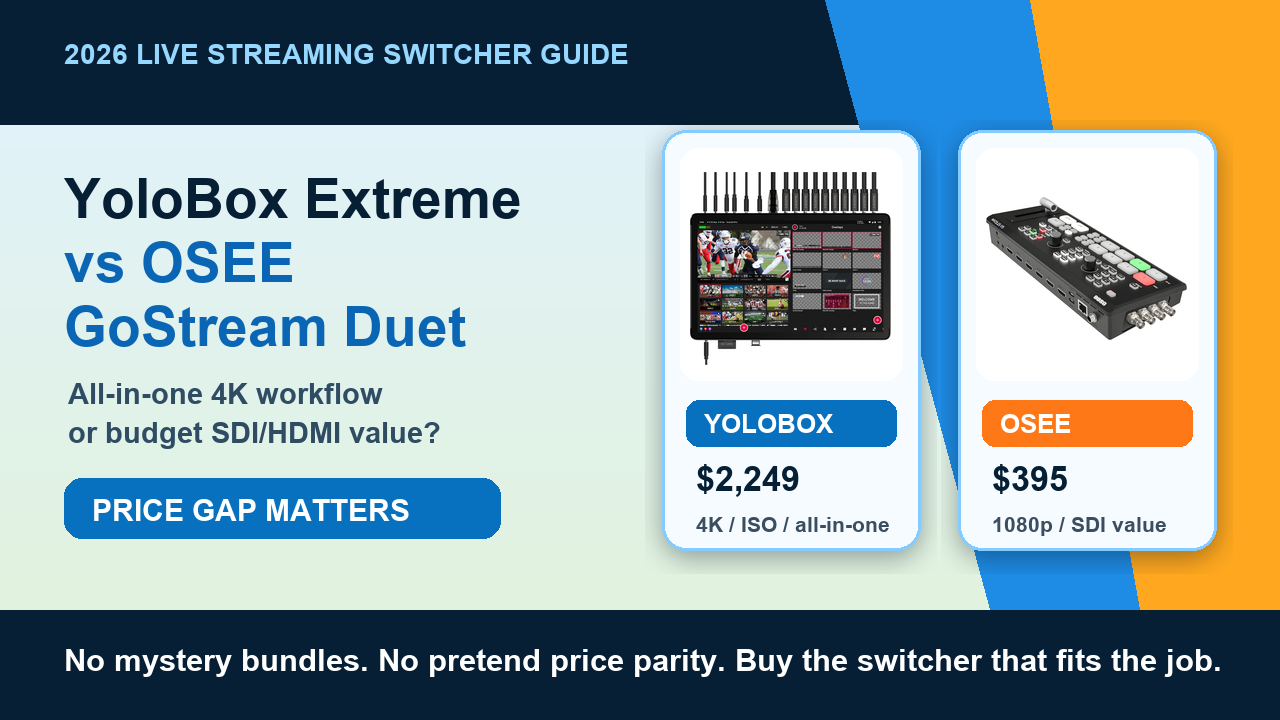
There is a slightly annoying truth about this comparison: YoloBox Extreme and OSEE GoStream Duet are not really the same kind of purchase. They both help you run live video, switch cameras, and get a cleaner show online, but the price gap is so big that pretending this is a normal head-to-head shootout is how people end up buying the wrong box with confidence. That is the most expensive flavor of being wrong.
The short version: choose YoloBox Extreme when you need a high-end all-in-one live production unit with a stronger 4K and ISO-recording conversation, lots of inputs, a large monitoring/control surface, and more room to grow. Choose OSEE GoStream Duet when you need a practical SDI/HDMI switcher for 1080p live production, you already have a monitor/control workflow, and you would rather keep real money in the budget for cameras, audio, tripods, lights, travel, or the person who actually knows how to run the show.
This matters for churches, schools, event teams, wedding crews, coaches, small businesses, and video production teams that do not want to turn every live stream into a science fair project. A live switcher should make the job easier. If it adds three layers of confusion and one new panic attack per event, congratulations, you bought a problem with ports.
Affiliate disclosure: this guide uses direct Amazon affiliate links. As an Amazon Associate, Nitro Media Group may earn from qualifying purchases. Every product link below goes to a direct product page, not an Amazon search result.
Quick Verdict: Which One Should You Buy?
| Buyer type | Better pick | Why |
|---|---|---|
| High-end mobile production team | YoloBox Extreme | You are paying for the all-in-one workflow: switching, monitoring, streaming, recording, and more serious input/production flexibility. |
| School, church, local sports, city meeting, or small event team | OSEE GoStream Duet | The value is hard to ignore if 1080p is enough and you want HDMI/SDI switching without buying a flagship box. |
| Solo creator who wants the least extra gear | YoloBox Extreme | The built-in screen and all-in-one workflow reduce the number of separate devices you have to babysit. |
| Budget buyer building a production kit from scratch | OSEE GoStream Duet | The price difference can buy better microphones, cables, stands, lights, cases, power, or even another camera angle. |
| Teams that need 4K or serious post-production flexibility | YoloBox Extreme | If 4K and ISO-style workflow are real requirements, the cheaper option stops being cheaper once it cannot do the job. |
Straight up: if you are doing paid live events where the stream, replay, record, and post-production deliverable all matter, YoloBox Extreme is the serious tool. If you need a very capable 1080p switcher and the rest of your kit is still being built, OSEE GoStream Duet is the better money decision. Do not let a spec sheet bully you into buying the expensive thing just because it looks more pro.
Current Amazon Price And Product Image Check
Prices move, bundles change, and Amazon sellers sometimes make product listings feel like a scavenger hunt with shipping labels. These are the live price checks from this refresh pass. Click through before buying to confirm the current seller, bundle contents, return window, and whether accessories are actually included.

YoloBox Extreme
$2,249 Amazon price checked July 4, 2026
Productions that want a serious all-in-one switcher, monitor, encoder, recorder, and 4K/ISO-minded workflow in one box.
Check YoloBox Price
OSEE GoStream Duet
$395 Amazon price checked July 4, 2026
Budget-aware live producers who need SDI/HDMI switching, 1080p delivery, and physical controls without paying flagship money.
Check OSEE Price| Product | Price checked | Buying note |
|---|---|---|
| YoloBox Extreme | $2,249 | Flagship price. This only makes sense if the integrated monitor, recording, streaming, inputs, and higher-end workflow replace separate gear or save real production time. |
| OSEE GoStream Duet | $395 | Much cheaper as the switcher-only style buy. If you see a much higher price, check whether it is a kit bundle with monitor, case, or accessories. |
Product Images: What You Are Actually Comparing
For switchers, photos matter because the physical layout affects the job. Look at the screens, buttons, ports, and overall footprint. A switcher is not just a box with HDMI holes. It is the thing someone has to operate while everyone else is pretending the live event is calm.
YoloBox Extreme Product Views


OSEE GoStream Duet Product Views


YoloBox Extreme vs OSEE GoStream Duet: The Feature Matrix
| Decision point | YoloBox Extreme | OSEE GoStream Duet | What it means in the real world |
|---|---|---|---|
| Price lane | High-end flagship purchase | Budget/value switcher purchase | If money is tight, the price gap is not a footnote. It is the entire conversation. |
| Resolution lane | Better fit when 4K workflow is part of the brief | Best viewed as a 1080p production switcher | Most livestream platforms and event clients still tolerate 1080p very well. Paid capture/post work is where 4K can matter more. |
| Inputs | Built for bigger multi-camera setups and heavier production routing | Practical HDMI/SDI input mix for smaller live shows | The right input mix depends on your cameras. SDI can matter more than raw camera count for real venue runs. |
| Monitoring | Large integrated screen/control surface | Physical control panel, usually happier with an external monitor/setup | If you want fewer pieces on a table, the all-in-one design is valuable. If you already own monitoring, do not pay twice. |
| Recording/post workflow | Stronger fit when ISO/recording and post-production deliverables matter | Good for program recording and simpler show capture | Highlights, re-edits, sponsor clips, and social cuts change the buying math. |
| Operator style | Touchscreen/all-in-one event control | Tactile button/fader switcher workflow | Some operators love touchscreens. Some want real buttons under pressure. Test that preference before the show. |
Why The Price Gap Matters More Than The Spec War
The old version of this article treated the two prices like they were closer than they are. That makes the buying advice mushy. With this refresh, the math is much clearer. YoloBox Extreme was checked around $2,249. OSEE GoStream Duet was checked around $395. That is not a small difference. That is a whole second camera, a cleaner audio kit, better stands, a case, batteries, cables, and maybe enough left over to pay someone who knows what NDI means without making the room sad.
This is why I would not tell every small team to buy YoloBox Extreme. It is impressive, but impressive is not the same thing as necessary. For a school board meeting, church service, small business webinar, town hall, local sports table stream, or basic multi-camera event, OSEE GoStream Duet can be the smarter buy if 1080p is the target and your workflow already includes a laptop, monitor, or separate streaming setup.
On the other hand, cheap becomes expensive the moment it blocks the deliverable. If the client wants a cleaner post-production workflow, higher-end capture, 4K output, more complex input routing, and a single box that can handle more of the show, YoloBox Extreme starts to look less ridiculous. You are not just buying a switcher at that point. You are buying fewer separate devices and less table chaos.
Inputs, Outputs, And The Thing People Forget: Cable Reality
Spec charts love input counts. Actual event work cares about distance, cable reliability, camera placement, and how fast a tired operator can diagnose why camera three disappeared. HDMI is fine at a table. HDMI gets annoying over longer venue runs. SDI is not glamorous, but it is still the adult in the room for many live-event environments.
OSEE GoStream Duet is appealing because it gives budget buyers a useful HDMI/SDI lane. That is a real advantage for churches, schools, venues, meeting rooms, and event crews where cameras may not all be sitting three feet from the switcher. If your cameras output SDI or you already use converters, this matters.
YoloBox Extreme makes more sense when your priority is a bigger integrated production hub. Its value is not only the ports. It is the way the screen, switching, recording, streaming, monitoring, and software updates live inside one ecosystem. That is the kind of thing that can save a solo operator when the client wants the show live, recorded, and ready for clips later.
Nitro rule: buy around your actual camera path, not the prettiest product listing. If your cameras, cables, and room layout are SDI-heavy, OSEE GoStream Duet deserves serious attention. If your show needs all-in-one monitoring, recording, and more ambitious live production, YoloBox Extreme is easier to justify.
Resolution And Recording: 4K Is Useful, But Not Always The Point
People love saying 4K like it automatically makes the stream better. It can. It can also be a waste of money if your upload speed is questionable, your cameras are poorly exposed, your audio sounds like it was captured inside a filing cabinet, and the final audience is watching on a phone while pretending to work.
YoloBox Extreme is the better choice if 4K and more serious recording workflow are real requirements. That applies to paid video teams, higher-end conferences, hybrid events with post-production deliverables, training content, multi-camera creator shows, and crews that need cleaner source recordings after the live event ends. If the stream is only one part of the job, the richer recording workflow can be a big deal.
OSEE GoStream Duet makes more sense when the actual deliverable is a reliable 1080p live program. That is still the practical standard for a lot of meetings, services, school events, smaller conferences, and internal broadcasts. The viewer usually cares more that the stream is stable, the speaker is audible, the camera cuts make sense, and the event starts on time.
Control Surface: Touchscreen Confidence vs Button Confidence
The operator matters. A lot. A good operator with a simpler switcher can produce a cleaner show than a confused operator with a flagship device. This is where the choice gets personal.
YoloBox Extreme leans into the integrated touchscreen production style. You can monitor, switch, manage sources, and control more of the event from one device. That is powerful when you are a solo operator or a small team trying to keep the footprint tight. It also means you should be comfortable trusting a screen during a live event.
OSEE GoStream Duet leans more into a tactile switcher experience. Physical buttons, a fader, and a dedicated control panel can be easier for some operators under pressure. There is nothing wrong with wanting buttons when the mayor, pastor, coach, CEO, or bride’s uncle is staring at you because the livestream froze. Human beings are not their best selves during live troubleshooting.
Best Use Cases By Buyer
| Use case | Best pick | Why | Do not forget |
|---|---|---|---|
| Church live stream | OSEE GoStream Duet for most budget builds, YoloBox Extreme for more advanced teams | Many churches need stable 1080p, SDI-friendly routing, and predictable operation more than flagship specs. | Audio from the sound board matters more than the switcher flex. |
| School sports or district events | OSEE GoStream Duet | Budget saved can go into audio, long cable runs, tripods, and weather-safe cases. | Make sure your cameras and cable path fit the input mix before buying. |
| Paid conference production | YoloBox Extreme | The all-in-one workflow, monitoring, recording, and higher-end feature set are easier to justify when the event fee supports it. | Still build a backup plan. Expensive gear is not a backup plan by itself. |
| Small business webinar or training stream | OSEE GoStream Duet | If 1080p is enough, the cheaper box can handle the job while the rest of the budget improves sound and lighting. | Bad audio makes every camera look worse. Fair? No. True? Yes. |
| Creator studio with repeat shows | YoloBox Extreme | Repeatable workflows benefit from a stronger central production hub, especially if you record and repurpose content. | Build presets and test them before guests arrive. |
Setup Recipes I Would Actually Use
Gear recommendations get more useful when they turn into a working setup. Here is how I would think about real kits instead of staring at product pages until everything looks equally important.
| Setup | Switcher pick | What the rest of the kit needs |
|---|---|---|
| Budget local event kit | OSEE GoStream Duet | Two to four cameras, solid tripods, clean audio feed, labeled cables, external monitor, and a tested streaming path. |
| Mobile paid production kit | YoloBox Extreme | Reliable cameras, backup audio, enough storage, power, network fallback, and a case that does not turn setup into a scavenger hunt. |
| Church/school upgrade from webcam chaos | OSEE GoStream Duet | SDI or HDMI camera path, audio board feed, training for volunteers, and a laminated run-of-show checklist. Not glamorous. Very useful. |
| Creator studio with clips after every show | YoloBox Extreme | Camera presets, reliable lighting, clean microphone chain, and a post-show workflow for highlights and social cuts. |
What About Software, Laptops, And Separate Encoders?
A separate laptop workflow can still make sense. It is flexible, familiar, and easier to update. The risk is that every extra piece of gear becomes another point of failure. The laptop needs power, the software needs updates, the capture path needs drivers, and somebody has to remember what was changed before the last stream. The words “it worked yesterday” have never fixed a live event.
OSEE GoStream Duet often makes sense when you are comfortable with that separate workflow. It can sit in the hardware switching lane while the laptop, monitor, or streaming software handles the rest of the production path. That keeps the switcher cost low and lets you upgrade pieces over time.
YoloBox Extreme is more attractive if you want fewer separate devices and a more self-contained production station. That does not mean you stop testing. It means the workflow is more centralized, which can be a lifesaver for small crews.
Where I Would Spend The Saved Money If You Buy The Cheaper Switcher
If OSEE GoStream Duet is enough for your use case, do not just pocket the savings and call the kit finished. Put the difference into the boring things that make streams look professional: audio, lights, stable camera support, cases, power, network backups, and cable management. The cheap switcher plus a thoughtful kit beats the expensive switcher plus chaos.
Start with audio. A clean board feed, backup microphone, and monitoring plan will improve perceived quality immediately. Then fix camera stability. Wobbly tripods and loose mounts make even good cameras look amateur. After that, fix power and cable labeling. No one applauds labeled cables, but everyone panics when they are missing.
If the saved budget can buy a second useful camera angle, a better audio chain, and a real case, OSEE GoStream Duet can be the better overall production decision even though YoloBox Extreme is the more advanced product.
Where The Expensive Option Earns Its Keep
YoloBox Extreme earns its keep when the all-in-one workflow replaces real complexity. If you are constantly packing a monitor, switcher, recorder, encoder, control accessories, and a pile of adapters, an integrated production box can clean up the setup. That matters for travel jobs, hybrid events, pop-up productions, and small teams where the operator is also troubleshooting everything else.
The other big reason is post-production. If every live event turns into highlight reels, client clips, social posts, training modules, and recap videos, recording flexibility matters. A cheap live-only approach can become limiting fast. The more the live event becomes source material for future content, the easier it is to justify a stronger production box.
This is the buyer I would point toward YoloBox Extreme: someone who already understands their live workflow, knows why they need the extra capability, and can explain exactly how it will save time or improve deliverables. If the only reason is “it looks awesome,” take a breath. Lots of gear looks awesome. That is how closets become expensive museums.
Internal Nitro Guides That Pair With This Decision
If you are building a broader production workflow, these related Nitro guides are worth pairing with this comparison:
- Live streaming switchers for videographers: good companion reading if you are comparing multiple switcher lanes.
- Nitro live streaming services: useful if you are deciding whether to buy gear or hire a production team.
- Live streaming events tips and best practices: good for planning the workflow around the switcher.
- Video editing business guide: useful if your live stream becomes edited clips and deliverables after the event.
- Video content for brand awareness: helpful when the live event is part of a larger marketing content plan.
- Business live streaming strategies: good context for using live video beyond a one-off event.
Final Recommendation
For most budget-conscious teams, I would start by looking hard at OSEE GoStream Duet. At the current price check, it is the easier recommendation for schools, churches, small businesses, local events, and teams that need a useful 1080p SDI/HDMI switcher without turning one gear purchase into the whole budget. It is not the flashiest answer. It is just a very practical one.
I would choose YoloBox Extreme when the job is bigger than basic switching: 4K matters, post-production matters, all-in-one monitoring matters, and the production fee or content value can justify the higher price. If you are already doing paid event work and the switcher becomes the center of a reliable mobile production system, the expensive option starts making sense.
My actual buying rule is simple: if OSEE GoStream Duet does the job, buy it and spend the difference on the rest of the kit. If OSEE GoStream Duet cannot do the job, do not torture yourself trying to make the cheaper thing behave like the expensive thing. Buy YoloBox Extreme, test it before the event, and label every cable like future-you is sleep deprived. Future-you probably is.
Check YoloBox Extreme Price on Amazon Check OSEE GoStream Duet Price on Amazon
FAQ
Is YoloBox Extreme better than OSEE GoStream Duet?
Technically, YoloBox Extreme is the more advanced all-in-one production box. But “better” depends on the job. OSEE GoStream Duet can be the better buy if you only need reliable 1080p HDMI/SDI switching and the rest of your setup is already handled.
Is OSEE GoStream Duet enough for professional live streaming?
For many small professional jobs, yes. If the deliverable is a clean 1080p live program and your audio, cameras, internet, and operator workflow are solid, OSEE GoStream Duet can absolutely make sense. It is not the right choice when the job truly needs the higher-end all-in-one workflow of YoloBox Extreme.
Should churches and schools buy YoloBox Extreme or OSEE GoStream Duet?
Most churches and schools should evaluate OSEE GoStream Duet first because the saved budget can improve audio, camera support, cabling, and training. Larger teams with more advanced needs may justify YoloBox Extreme, especially if they create edited content after each stream.
Do I need 4K for live streaming?
Not always. 1080p is still perfectly workable for many events. 4K becomes more useful when you are recording for post-production, delivering higher-end client work, cropping/reframing later, or matching a broader 4K production pipeline.
What should I check before buying either switcher?
Check your camera outputs, cable distance, audio path, streaming destination, recording needs, operator comfort, return window, included accessories, and current Amazon seller. A switcher is only one part of the system. The rest of the kit still has to behave.


