Skip to content
The short version: Sora is not the same product it was in 2024
If you found this page by searching for “what is OpenAI’s Sora AI,” the first thing to know is simple: the answer changed.
The old version of the story was that Sora was OpenAI’s text-to-video system. You typed a prompt, the model generated video, and everyone tried to figure out what it meant for filmmakers, marketers, agencies, educators, and the internet in general. That was a fair way to explain Sora in early coverage, but it is not enough in 2026.
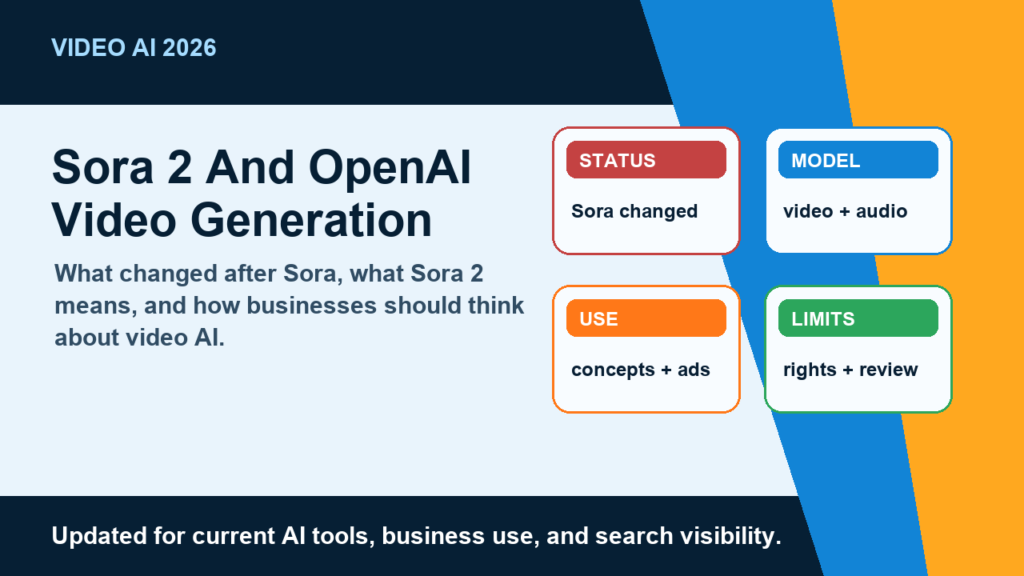
As of the current OpenAI help article, the Sora web and app experiences were discontinued on April 26, 2026. OpenAI also says the Sora API will be discontinued on September 24, 2026. At the same time, OpenAI’s Sora 2 announcement describes Sora 2 as its flagship video and audio generation model. That split matters. “Sora” can refer to the discontinued product experience, the older model family, the API sunset, or the newer Sora 2 video and audio model. If you mix those together, you end up with bad advice.
For most businesses, the practical update is this: do not build a new production workflow around the old Sora web app, and do not assume the old Sora API is a long-term foundation. If you are evaluating OpenAI video generation now, evaluate it as a moving model capability, not as the same public product people were writing about in 2024.
Current official status at a glance
| Item | Official 2026 status | What it means in plain English |
|---|---|---|
| Sora web and app experiences | Discontinued April 26, 2026 | Do not point a client or internal team to the old Sora web/app workflow as if it is still the standard path. |
| Sora API | Scheduled for discontinuation September 24, 2026 | Teams with API dependencies should treat this as a migration deadline and avoid new long-term builds on the old API. |
| Sora 2 | OpenAI’s current video and audio generation model | When discussing OpenAI’s latest video generation capability, Sora 2 is the model name that matters. |
| Old “text-to-video only” explanation | Incomplete | Sora 2 is positioned around video plus audio, including synchronized dialogue and sound effects. |
This is why older articles need a refresh. A 2024-style writeup that says “Sora is OpenAI’s new text-to-video app” is now stale. A useful 2026 writeup needs to explain the shutdown, the API deadline, and what Sora 2 actually changes.
What is Sora 2?
Sora 2 is OpenAI’s video and audio generation model. OpenAI describes it as more physically accurate, more realistic, and more controllable than prior systems, with support for synchronized dialogue and sound effects. That last part is important: Sora 2 is not just about making silent clips from a prompt. It is about generating motion, scenes, and audio together.
Think of it as a model that tries to turn instructions into short video worlds. A prompt can describe a scene, subject, action, style, camera behavior, and sound. The model then generates a video output that attempts to follow those instructions. In OpenAI’s own framing, this is part of a longer push toward models that better simulate the physical world.
That does not mean Sora 2 is magic, and it definitely does not mean every output should be trusted. AI video models can still misunderstand instructions, produce odd motion, fail at consistency, or make a scene look convincing while getting details wrong. For Nitro’s world, where content has to support a brand, a client, or a real business goal, that distinction is everything. A nice-looking clip is not automatically a usable deliverable.
A better way to explain Sora 2 is this: it is an advanced generative model for video and audio that can help create visual concepts, storyboards, social clips, synthetic scenes, and creative tests faster than traditional production. It is not a replacement for production judgment, editing, licensing review, client approvals, or common sense.
For brands and creators, Sora 2 is most interesting when it speeds up exploration. You can test a concept, mood, sequence, or campaign angle before spending money on a full shoot. You can also create material that would be expensive, impractical, or impossible to capture physically. But once the work becomes client-facing, commercial, or reputation-sensitive, the workflow needs human review built in from the start.
How does Sora 2 work?
OpenAI has not published every implementation detail behind Sora 2, so any explanation should avoid pretending we know the full internal architecture. The honest version is high-level: Sora 2 is trained on large-scale video data and designed to generate video and audio outputs from user instructions. OpenAI says the Sora team focused on more advanced world simulation capabilities and on improving how the model handles physics, control, and continuity.
In practice, the user-facing workflow looks like this: you give the model a prompt, the model interprets the request, and it generates a video output that tries to match the scene and action. The prompt can include practical production language, such as camera direction, lighting, subject behavior, mood, pacing, visual style, dialogue, and sound effects. Better prompts tend to describe what should happen on screen rather than tossing in a few vague adjectives and hoping for the best.
The most important technical idea is that Sora 2 is trying to model change over time. A still-image model only has to produce one convincing frame. A video model has to keep objects, characters, camera motion, lighting, and cause-and-effect coherent across multiple frames. If a person jumps, the body should move in a plausible arc. If a ball misses a shot, it should not magically teleport into the hoop. If a character walks through a scene, the identity should not melt halfway through the clip.
That is why OpenAI talks about physical accuracy and controllability. The value is not just prettier pixels. The value is whether the model can follow a detailed direction, keep the world state reasonably consistent, and generate audio that fits the action. Sora 2 is designed to be better at those things than earlier systems, but “better” is not the same as perfect.
For a marketing team, the useful mental model is not “press button, receive finished commercial.” It is closer to “generate a strong draft of a moving scene, then review it like any other creative asset.” You still need to check the subject, claims, brand fit, safety, accessibility, rights, and whether the output is actually saying what you want it to say.
Sora, Sora 2, and the old Sora API: what changed?
| Name people use | What they usually mean | 2026 caveat |
|---|---|---|
| Sora | The original OpenAI AI video product or model family | The Sora web and app experiences were discontinued on April 26, 2026. |
| Sora app | The consumer app experience around Sora creation | OpenAI’s current help page says the Sora web and app experiences are discontinued. |
| Sora API | Developer access for building Sora generation into software workflows | OpenAI says the Sora API will be discontinued on September 24, 2026. |
| Sora 2 | The newer OpenAI video and audio generation model | This is the current model framing, but teams should still check OpenAI’s latest docs before building around access assumptions. |
The safest way to discuss Sora in 2026 is to be specific. If you mean the discontinued web app, say that. If you mean the API sunset, say that. If you mean the model capability OpenAI describes in the Sora 2 announcement, say Sora 2.
This is especially important for agencies. A client may ask, “Can we use Sora for this campaign?” The right answer is not a blind yes or no. The right answer is: “We need to define whether you mean OpenAI’s old Sora product, the API, or Sora 2-style AI video generation, then confirm current access and usage limits before we scope the work.”
That may sound less exciting than a hype answer, but it prevents bad project planning. AI tools move quickly. Shutdown dates, product names, access paths, and model capabilities can change faster than a normal marketing calendar.
What can Sora 2 be useful for?
Sora 2 is most useful when the goal is creative acceleration, not blind automation. It can help teams move from idea to visual direction faster. That matters for small businesses, agencies, creators, and in-house marketing teams that do not have unlimited production budgets.
Here are the use cases that make practical sense:
- Concept development: Explore a commercial idea, scene, product mood, or brand atmosphere before committing to a shoot.
- Storyboarding: Turn written campaign ideas into motion references that help a client or creative director understand the direction.
- Social creative testing: Generate variations of a hook, visual style, or scene concept before producing final assets.
- Previsualization: Mock up camera motion, lighting, setting, or action for a more traditional video project.
- Internal training and education: Create illustrative clips for internal decks, explainers, or planning, as long as accuracy and policy needs are reviewed.
- Impossible or expensive scenes: Explore shots that would be too costly, dangerous, or impractical to capture physically.
For Nitro Media Group, the big opportunity is not replacing production. It is sharpening the front end of production. AI video can help answer questions earlier: Does this visual idea make sense? Is the tone too polished, too weird, too slow, or too generic? Would the client understand this campaign faster if we showed a moving sketch instead of a paragraph?
That is where tools like Sora 2 can earn their keep. The output does not have to be the final asset to be valuable. Sometimes the value is killing a weak idea before it burns budget. Sometimes it is helping a client approve the right direction sooner. Sometimes it is making the production team more specific before the camera ever comes out.
For more on turning AI-assisted concepts into real marketing assets, add an internal link here to Nitro’s video production page: Nitro video production services. For broader campaign planning, link to digital marketing strategy.
Where Sora 2 still needs human judgment
The easiest mistake with AI video is treating realism as reliability. A clip can look polished and still be wrong, misleading, off-brand, or legally risky. That is not a Sora-specific issue. It is a general AI media issue, and it becomes more serious as generated video gets more convincing.
OpenAI’s safety page for Sora highlights several areas that deserve attention: provenance signals, watermarks, consent around likeness, teen safeguards, harmful-content filtering, audio safeguards, and reporting or recourse controls. That list gives you a useful checklist for business use, even if you are not using the consumer product experience.
Before using AI-generated video in public, ask boring but important questions:
- Does the video imply a real person endorsed something when they did not?
- Does it use a person’s likeness, voice, image, brand, or creative work in a way that needs permission?
- Does the scene show a product, place, or process inaccurately?
- Could viewers mistake the clip for real footage?
- Does the audio imitate an artist, public figure, employee, customer, or competitor?
- Does the final output need disclosure, watermarking, caption context, or legal review?
This is where a practical agency workflow beats a toy workflow. A toy workflow celebrates the prompt. A real workflow checks the asset. It asks whether the generated video helps the audience, whether the claim is true, whether the rights are clean, and whether the client can stand behind it.
If your company has brand safety rules, AI policies, client approvals, or compliance review, put those requirements before distribution. Do not wait until a generated clip is already scheduled across every platform.
How to write better Sora 2 prompts
Because Sora 2 is a video and audio generation model, prompting it like a basic image generator leaves value on the table. A weak prompt says, “Make a cool video of a coffee shop.” A better prompt gives the model a job: subject, action, setting, camera, lighting, pacing, sound, and constraints.
| Prompt element | What to include | Why it helps |
|---|---|---|
| Subject | Who or what is on screen | Reduces ambiguity and keeps the output focused. |
| Action | What changes during the clip | Video needs motion, not just a pretty still frame. |
| Environment | Location, time of day, weather, production design | Gives the model visual context and mood. |
| Camera | Wide shot, close-up, tracking shot, handheld, locked-off, slow push | Turns a generic scene into a directed shot. |
| Lighting and style | Natural light, studio, documentary, cinematic, product-focused | Helps match the output to brand or campaign needs. |
| Audio | Dialogue, ambient sound, sound effects, silence, tone | Sora 2 is designed around video plus audio, so sound direction matters. |
| Restrictions | What not to show, claims to avoid, brand rules | Useful for commercial review and avoiding obvious problems. |
For marketing work, the prompt should also include the business purpose. A product teaser, recruiting ad, event recap, and explainer video need different pacing. If you do not tell the model what job the clip is doing, you get a generic cinematic sample instead of something useful.
Here is the frank version: if the prompt reads like a vague mood board, the output will probably behave like a vague mood board. If the prompt reads like a shot brief, the output has a better chance of becoming a usable creative draft.
What businesses should do before building around Sora
If you already have a Sora API integration, the September 24, 2026 discontinuation date should be on your calendar. Do not wait until the last week to find out which workflow, client deliverable, or internal process depends on it. Inventory the use cases now, separate experiments from production dependencies, and decide what gets retired, migrated, or rebuilt.
If you are starting fresh, do not build a new long-term system around the old Sora API. That is not conservative advice; it is just reading the shutdown notice. For new work, check OpenAI’s current developer documentation and product announcements before scoping. If access, pricing, rights, or generation limits are not clear, do not promise them to a client.
A practical AI video adoption plan looks like this:
- Define the job: concepting, storyboard, social draft, internal explainer, final public asset, or something else.
- Confirm the current tool path: use the latest official OpenAI documentation, not an old blog post or cached tutorial.
- Set review rules: brand, legal, consent, claims, accessibility, and disclosure.
- Keep editable source notes: prompt, revision history, reviewer comments, and final approval status.
- Plan an exit path: AI product access changes. Your workflow should not collapse if one product is discontinued.
That last point is the one most teams skip. AI tools are moving fast, and product availability can change. Sora is now a live example. The companies that win with AI video will not be the ones that chase every shiny release. They will be the ones that build workflows flexible enough to swap models while keeping strategy, review, and production quality intact.
For Nitro readers who want help turning AI video into a sane content workflow, add an internal link here to content marketing services or AI marketing consulting.
Is Sora 2 good for SEO and content marketing?
Potentially, but not because AI video is a ranking shortcut. Search engines do not reward a page just because it has an AI-generated clip. Video helps when it improves the page: clearer explanations, stronger engagement, better product understanding, original examples, or a more useful answer to the searcher’s question.
For content marketing, Sora 2-style generation can support articles, landing pages, social posts, paid ads, and email campaigns. But the video has to serve the content. A random cinematic clip at the top of a blog post does not automatically make the post better. In some cases, it slows the page down, distracts from the point, or makes the brand feel less trustworthy.
The best SEO use cases are specific:
- Short explainers that make a hard concept easier to understand.
- Visual examples that support a how-to article.
- Campaign teasers that match the page topic and audience intent.
- Original media that gives the page something competitors do not have.
- Repurposed clips for social distribution that drive people back to a stronger resource.
Do not confuse output volume with content quality. Publishing fifty AI clips that do not answer a real question is not strategy. One useful clip that clarifies a service, demonstrates a process, or supports a strong article can be worth far more.
What should creators and agencies watch next?
The most important thing to watch is not only model quality. It is product availability, API direction, safety rules, rights controls, and how generated media is labeled. For commercial users, those details matter as much as visual realism.
Watch for official OpenAI updates on developer access, model availability, data export, provenance, and API migration. Also watch how clients, platforms, regulators, and audiences respond to synthetic video. A technically impressive tool can still be a bad fit for a campaign if the audience sees it as misleading or low-trust.
For now, Sora 2 belongs in the serious conversation about AI video. It shows how quickly video generation is becoming more controllable and more useful. But the old Sora app story is over, and the API has a published sunset date. Any guide that ignores that is giving readers yesterday’s map.
FAQ
Is OpenAI Sora discontinued?
OpenAI says the Sora web and app experiences were discontinued on April 26, 2026. OpenAI also says the Sora API will be discontinued on September 24, 2026. That is why it is important to separate the old Sora product experience from Sora 2 as a model name.
Is Sora 2 the same thing as the original Sora?
No. Sora 2 is OpenAI’s newer video and audio generation model. The original Sora coverage focused heavily on text-to-video. Sora 2 is described by OpenAI as a video and audio generation system with improved physical accuracy, realism, controllability, synchronized dialogue, and sound effects.
Can I still use the Sora API?
OpenAI’s discontinuation notice says the Sora API will be discontinued on September 24, 2026. If you have an existing dependency, treat that date as a migration deadline and check OpenAI’s current developer documentation for the latest access details.
Does Sora 2 generate audio too?
Yes. OpenAI describes Sora 2 as a video and audio generation model and specifically mentions synchronized dialogue and sound effects.
Is Sora 2 reliable enough for client work?
It can be useful for client work, especially concepting, storyboards, previsualization, and social creative drafts. Final public use still needs human review for brand fit, factual accuracy, rights, consent, disclosure, and safety.
Will Sora 2 replace video production?
No, not in any serious business workflow. It can speed up ideation and help create certain kinds of assets, but it does not replace strategy, real footage, editing, client approvals, licensing, or production judgment.
Should my business use Sora 2 for marketing?
Use it when it solves a real creative or communication problem. It can help with visual concepts, explainers, and campaign testing. Do not use it just to say you used AI. The output still needs to serve the audience and support the business goal.
Bottom line
Sora is no longer a simple “new AI video app” story. In 2026, the accurate version is more specific: the Sora web and app experiences were discontinued on April 26, 2026, the Sora API has a September 24, 2026 discontinuation date, and Sora 2 is OpenAI’s current video and audio generation model.
For creators, that means the exciting part is still real: AI video is becoming more capable, more controllable, and more useful. For businesses, the caution is just as real: product access changes, safety rules matter, and generated media still needs a grown-up workflow.
The smart move is not to ignore Sora 2 and not to worship it. Use it where it makes creative work faster or clearer. Review it like a serious asset. Keep your workflows portable. And when you are explaining it to a client, start with the current status instead of the old hype.