 Skip to content
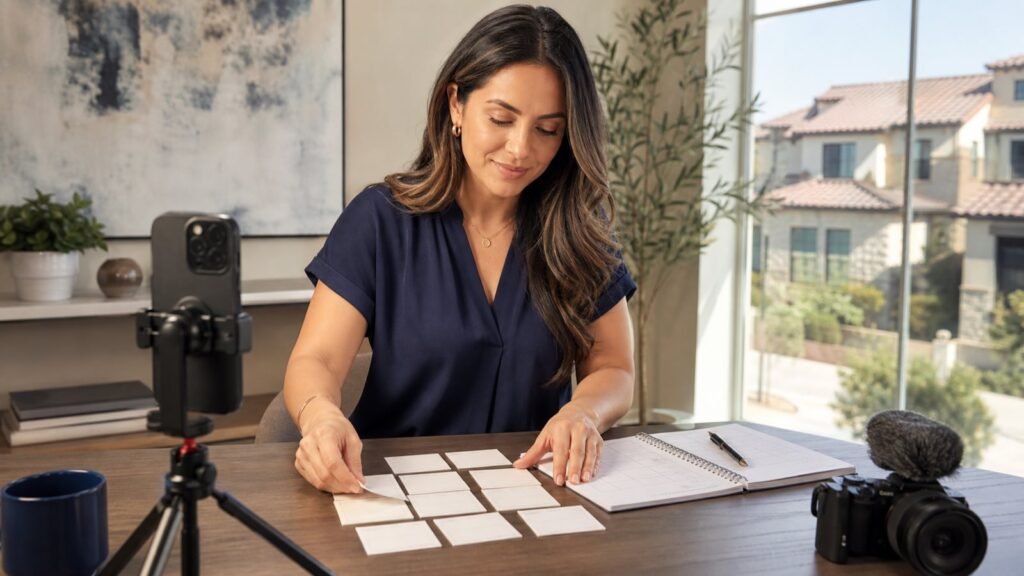
A useful Realtor video calendar is not 30 sales pitches. It is a repeatable mix of listing context, client education, behind-the-scenes process, and locally relevant questions that helps people understand how you work before they decide whether to contact you.
This 30-day Realtor video content calendar for San Antonio gives you one clear prompt per day. Each prompt includes a simple format, a filming angle, and a next step for the viewer. Use it as a daily posting plan, or batch-record several pieces in one session and schedule them across the month.
The goal is consistency with a purpose: every video should either make a listing easier to understand, answer a real client question, show your process, or invite a conversation. That approach is more sustainable than trying to invent a brand-new campaign every morning.
If you need the broader case for becoming a more visible content creator, start with Nitro's guide to Realtor content creation. This calendar is the practical follow-through: what to film next, how to keep it varied, and how to get more than one useful asset from each shoot.
How should a San Antonio Realtor use a 30-day video calendar?
Use the calendar in four content lanes:
- Trust and process: explain how you prepare, communicate, and guide a client.
- Property marketing: show how photos, video, aerials, walkthroughs, and 3D tours serve different jobs.
- Local usefulness: answer location-specific questions only with details you can verify when you post.
- Conversation starters: invite questions, consultation requests, or replies without forcing a hard sell.
You do not need a different camera setup for every lane. A phone, a small microphone, a window-lit space, and a short shot list are enough to start. If you are building a more polished kit, Nitro's real estate videography equipment guide can help you separate essential tools from nice-to-have gear.
Before filming, choose one primary action for the month. It might be “send me a question,” “save this checklist,” “request a property-media plan,” or “book a conversation.” Keep that action consistent enough that viewers know what to do, then vary the message that earns the ask.
Set up a simple production system before Day 1
The fastest way to abandon a calendar is to make every post a full production. Instead, build one small system you can repeat.
Batch the work in three parts
Plan: Once a week, select five to seven ideas from the calendar. Write a one-sentence hook for each one, collect the supporting visuals you already have permission to use, and decide whether each post is a talking-head video, a property sequence, a photo carousel, or a short answer.
Film: Record the face-to-camera parts in one quiet location. Then capture supporting shots during a listing visit, a planning session, a staging appointment, or a scheduled property-media shoot. Do not try to narrate every B-roll shot live; voice-over can be added later when it helps the viewer follow the point.
Package: Edit one clean vertical master, write the caption, make the cover, and save a horizontal or longer version only when it has a useful second destination. A single topic can become a short social post, a Story prompt, a longer YouTube answer, an email snippet, or a page on your site.
For a better sense of which assets belong in a property package, see Nitro's real estate videography guide. The point is not to make every listing look identical; it is to choose the right visual tool for the job.
Keep the local part accurate
San Antonio is the focus of this calendar, but do not rely on vague neighborhood superlatives or recycled market claims. When you name a location, feature, route, event, statistic, or business, verify it on the day the post is prepared and use the source you checked. If a point cannot be confirmed quickly, make the video about your process instead.
Use client-provided details only with their approval. Avoid filming anything that exposes private paperwork, access information, or a person who did not agree to appear. Those small production habits make the calendar easier to sustain and easier to hand off to a team.
The 30-day Realtor video calendar
The prompts below are intentionally broad enough to fit different listing cycles. Swap the property or client scenario, but keep the viewer benefit in place.
| Day | Video idea | Simple hook and shot plan | Call to action or repurpose |
|---|---|---|---|
| 1 | Introduce how you help | “If you are buying or selling in San Antonio, here is what I help people sort out first.” Film a direct-to-camera answer with three on-screen points. | Ask viewers to leave the question they want answered this month. Save the answer as a pinned introduction. |
| 2 | Answer a first-showing question | Open with one question you hear before a first showing. Explain the decision process, not a market prediction. | Invite people to save the post for their next tour. Turn the answer into an FAQ highlight. |
| 3 | Show a pre-listing walk-through | Film a short checklist of what you notice before deciding on photos or video. Use detail shots, not client documents. | Link to a seller-prep checklist or invite a planning call. |
| 4 | Point out one visual detail | Show how light, sight lines, storage, a feature wall, or an outdoor space can be framed for a listing. | Ask: “What detail would you want shown first?” Reuse as a photo carousel. |
| 5 | Make a verified local-orientation post | Share one practical, currently verified point that helps a visitor orient themselves in San Antonio. State the source in the caption if you use a fact. | Ask viewers what area they want explained next. Keep a list for future videos. |
| 6 | Behind the scenes: planning a shoot | Show your shot list, a calendar view, or the gear laid out before a media day. | Use a question sticker: “Want the checklist?” This is an easy Story companion. |
| 7 | Weekly Q&A recap | Combine the best question from Days 1–6 with a concise answer. | Invite more questions for next week's calendar. |
| 8 | Tell a listing story without overselling | Use a beginning, middle, and end: what a viewer should notice on arrival, in the main living space, and outside. | Repurpose as a 30–60 second listing teaser. |
| 9 | Make a short property-tour teaser | Create a quick sequence: entry, key room, useful detail, outdoor moment, final frame. Keep the copy factual and asset-specific. | Direct viewers to the full listing or request the complete media package. |
| 10 | Explain video walkthroughs versus 3D tours | Answer the question directly: a walkthrough guides the story; a 3D tour gives the viewer control. | Link to Nitro's real estate video walkthroughs vs. 3D tours guide for the fuller comparison. |
| 11 | Explain when aerials add useful context | Show a generic planning sequence: property, access, surrounding context, and a safe takeoff/landing workflow. Do not promise a drone shot before the site and flight plan are reviewed. | Link to Nitro's real estate drone photography guide and ask whether viewers want a behind-the-scenes aerial shoot. |
| 12 | Share a seller-prep visual checklist | Give five simple items to review before photos: surfaces, lights, clutter, exterior, and access. | Link to Nitro's San Antonio home staging guide. Save the video as a seller resource. |
| 13 | Show what happens after photos are delivered | Explain where images, vertical clips, listing photos, and tour links may be used in your marketing workflow. | Link to Nitro's guide to optimizing real estate photos for online and social media. |
| 14 | Build a weekend viewing plan | Explain how you help someone organize a day of showings: questions, notes, and follow-up—not a promise about what will be available. | Offer a downloadable viewing-notes template or ask people to message “tour.” |
| 15 | Explain a seller decision | Start with: “Before I recommend a property-media plan, I ask these three questions.” Show budget, timeline, and intended use as the decision factors. | Invite sellers to request a tailored plan. |
| 16 | Show the listing-launch asset map | Lay out the assets that may be created from one shoot: hero photos, vertical teaser, walkthrough, aerials when appropriate, and tour link. | Turn the visual into a carousel and link to your service page. |
| 17 | Explain what a short video cannot answer | Acknowledge that a video is a starting point, then show three questions a viewer should bring to an in-person visit. | Encourage viewers to save the checklist. This builds trust without pretending a Reel replaces a showing. |
| 18 | Create a first-time viewer checklist | Film yourself holding a simple list: layout, natural light, storage, condition, and follow-up questions. Keep the list educational, not a verdict on a property. | Ask viewers to comment with the item they always check first. |
| 19 | Share a local research workflow | Show the sources you use to verify a local question before you post about it. The story is your diligence, not an unsupported claim. | Ask: “What San Antonio question should I research next?” |
| 20 | Introduce a trusted production partner | Film a short conversation with a photographer, stager, lender, inspector, or other collaborator who has agreed to participate. Focus on the handoff and the viewer benefit. | Tag the participant with permission and save it to a local-resource series. |
| 21 | Answer the week's most practical question | Pick a question from comments or conversations. Record a clear, one-topic answer in under a minute. | Add it to an FAQ playlist or highlight. |
| 22 | Compare vertical and horizontal assets | Explain that vertical clips fit full-screen social placements, while horizontal footage can serve site, YouTube, or presentation uses. | Show the same scene in both crops. Use this as a production-planning explainer. |
| 23 | Tell a client-approved process story | With permission, share the problem, the planning step, and the finished marketing asset. Avoid private details or claims you cannot document. | Invite other sellers to ask what a media plan could include. |
| 24 | Show a property-marketing timeline | Walk through a simple timeline: planning, capture, review, delivery, and distribution. | Use a calendar graphic and invite viewers to save it before their next listing preparation meeting. |
| 25 | Explain the three things you track after publishing | Choose your own useful signals, such as questions received, saved posts, or asset requests. Do not imply that one platform metric guarantees a sale. | Ask viewers which signal they find most useful. |
| 26 | Create a monthly “what I learned” update | Share one practical production lesson from the month: better audio, clearer hooks, a more useful cover, or a simpler CTA. | This makes an honest recurring series and gives you a next-month baseline. |
| 27 | Film a listing-day point of view | Use a calm sequence of arriving, preparing, checking the shot list, and wrapping. Keep any property information factual and approved. | Repurpose this as a Story series with one frame per step. |
| 28 | Answer “Which media format do I need?” | Use three short answers: photos for core listing assets, video for guided storytelling, and 3D tours for self-directed exploration. | Link again to the walkthrough vs. 3D tour comparison only if it adds context. |
| 29 | Curate the month's best answers | Edit three short clips from previous posts into one recap. Add labels so a new viewer understands each answer without watching the originals. | Invite viewers to save the recap or share it with someone planning a move. |
| 30 | Ask the audience to shape next month | Recap the four lanes—process, property, local research, and questions—then ask which lane deserves more attention. | Use replies to build next month's calendar instead of starting from a blank page. |
What makes this calendar different from a generic social-media plan?
The calendar is designed around a Realtor's real work. It does not assume that you are at a model home or holding an open house every day. On quieter days, film explanations, FAQs, process clips, and planning notes. On production days, capture enough supporting footage to make several future posts.
That distinction matters because real-estate marketing has several visual jobs. A short vertical clip can introduce one idea. A walkthrough can guide attention through a property. A 3D tour lets a viewer explore at their own pace. Aerial footage may add context when it is planned and appropriate. These formats complement one another; they are not interchangeable.
If you are deciding which format belongs in a specific listing package, return to Nitro's walkthrough versus 3D tour comparison and build the answer around the property, audience, timeline, and distribution plan.
How to turn one filming day into a month of posts
One well-planned shoot can supply much of the calendar. Before the shoot, write down the single story the property or process needs to tell. Then capture variations intentionally:
- Record a direct-to-camera introduction and two alternate hooks.
- Capture a wide, medium, and close view of each important scene.
- Film five to ten seconds of clean ambient movement for transitions.
- Leave room at the top and bottom of vertical frames for captions and platform controls.
- Take still photos that can become covers, carousels, or email headers.
- Record a clean voice-over in a quiet place after the shoot if on-location audio does not add value.
The same discipline helps you avoid a feed filled with nearly identical room pans. Every post should answer a question or clarify a decision. That is why the calendar alternates between property assets and person-led explanations.
For a deeper look at social distribution and package planning, Nitro's real estate social media marketing packages and strategies can support the service-side conversation without turning this calendar into a pricing page.
Platform-ready production notes
Make a clean vertical master first, then adapt it to the destination rather than relying on a single accidental crop. Instagram currently accepts Reels from 1.91:1 through 9:16 and specifies a minimum 30 FPS and 720-pixel resolution; check the current Instagram Reel specifications before exporting.
For YouTube, a square or vertical upload of up to three minutes can be categorized as a Short under YouTube's current guidance. Review the current YouTube Shorts help page before publishing, especially if you use licensed music or make a longer cut.
If you decide to promote a post as a TikTok ad, TikTok's current business guidance recommends 9:16 vertical creative, at least 720p, and keeping key material inside the UI-safe area. Those are paid-creative recommendations, not a promise about organic reach; verify the latest TikTok creative guidance before launching an ad.
How to measure whether the calendar is helping
Measure the behavior that matches the video’s job. A listing teaser may be judged by complete views, replies, tour requests, or clicks to the full asset. An FAQ may be judged by saves, repeat questions, or consultations that reference it. A behind-the-scenes clip may build familiarity even if it does not generate an immediate lead.
At the end of the month, review three things:
- Which topics generated the clearest questions or conversations?
- Which production style was easiest for you to repeat without lowering quality?
- Which call to action felt natural and produced a useful next step?
Then keep the best-performing format, not just the most-viewed topic. If a simple face-to-camera FAQ consistently earns thoughtful replies, make it a recurring series. If property videos are stronger when paired with a pre-listing explanation, make that sequence your standard.
Start with the first five days, not all 30
The calendar works best when it removes decision fatigue. You do not need to film Day 1 through Day 30 immediately. Start with the first five prompts, collect real questions, and let those questions shape the rest of the month. By Day 30, you will have a library of usable answers, a more reliable filming routine, and a clearer picture of what your San Antonio audience actually wants explained.
When the next listing, planning session, or content day arrives, open this calendar, choose the prompt that fits the moment, and make the next helpful video—not the perfect video.


